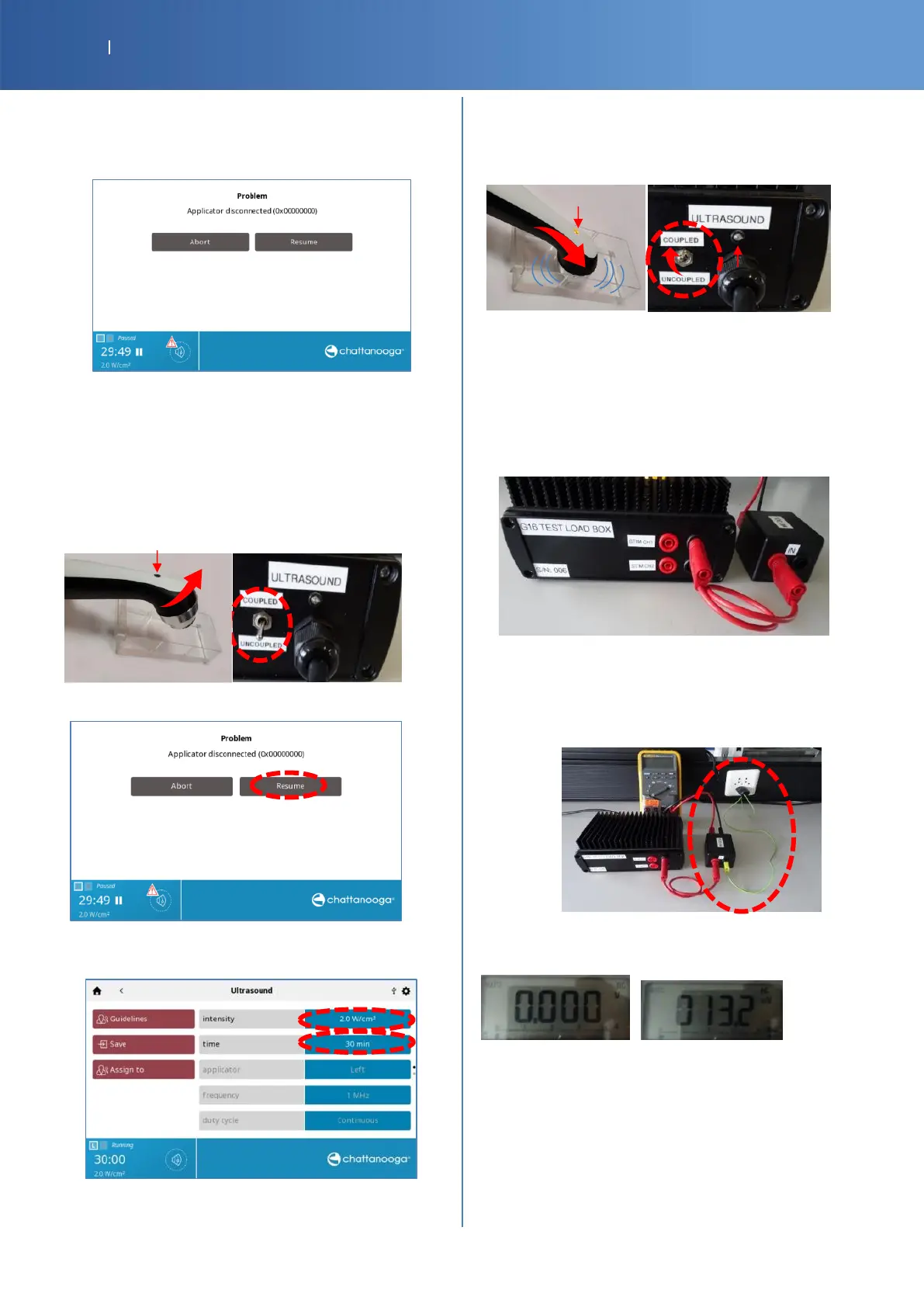
Applicator disconnection
• Remove the Ultrasound connector from the device, the
advice “Applicator disconnected (0x00000000)” is
displayed.
• Check Pass/Fail the tracker sheet §4 if “Applicator
disconnected (0x00000000)” is displayed.
Resumption of the Ultrasound program
• Put back the Left Ultrasound connector into the device.
• Switch the G16 Test Load ULTRASOUND to
“UNCOUPLED”.
Or
•
The applicator must be in air or in the holder
• Press Resume
• Select the field intensity and increase again with the
knob until 2.0 W/Cm2.
• Set the G16 Test Load switch ULTRASOUND to
“COUPLED”
Or
• Put the end of the transducer in water.
•
Check Pass/Fail the tracker sheet §5, if the program is
resumed.
Total patient leakage
• Connect a red banana cable to the red connector IN (MD
box). After, connect it to the black connector of STIM
CH1 (G16 Test Load).
• Connect the banana connector of the “Banana wall plug”
to the black connector IN (MD box). After, connect the
wall plug to the wall. If you have a ground banana
connection on the table you can use it, using a yellow
banana cable.
• Set the multimeter to V DC and V AC, then read the
values after stabilization. Finally Press “Pause” button.
Value of V DC Value of V AC
• Check Pass/Fail the tracker sheet §6 , if the values are
less than the reference
• Remove the red banana cable. First on the G16 Test
Load, then on the MD Box.














 To Next Page