8
ILS Command User Manual Rev. 1
Operation
Home Screen
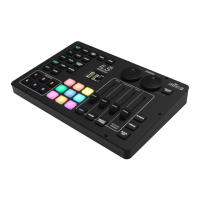
The home screen of the ILS Command displays the current operating modes of each effect type and the
current master settings.
Effect Operating Mode
The left side of the home screen displays the operating modes of each effect type.
Master Settings
The top row and right side of the home screen displays the current master settings.
• MIC or AUX: displays the audio input source.
• DFI-__: displays the D-Fi transmitter channel.
• DIMMER: displays the master dimmer value.
• STROBE: displays the master strobe value.
• AUTO or SOUND: displays the selected program type.
• SPEED: displays the current automatic program speed.
• SENSITIVITY: displays the current sound sensitivity.
Overrides
When an override setting, such as Blinder, Freeze, Blackout, Follow Spot Mode, a Color Override, or a
Preset is active, a banner will show on the display with the current override.
Icon Product Type
Moving heads
Par and wash effects
Lasers
Strobe effects
Derby and kinta effects






 To Next Page