14
ILS Command User Manual Rev. 1
Operation
Laser
Press <LASER> to activate connected lasers.
While lasers are active, press the associated:
• <COLOR> button to cycle through RED, GREEN, BLUE, YELLOW, MAG (magenta), CYAN,
WHITE, and either the default mode (AUTO or SOUND) or the most recent set pattern.
• <PATTERN|SPEED> button to cycle through PATTE 1–32 and either the default mode (AUTO or
SOUND) or the most recent set color.
While not in the default mode (AUTO or SOUND), press <LASER> to return to the default mode.
While in the default mode, press <LASER> to deactivate connected lasers.
Strobe Effect
Press <STROBE EFFECT> to activate connected strobe effects.
While strobe effects are active, press the associated:
• <SPEED> button to cycle through SPEED 1–10 (the default speed is SPEED 9).
• <PATTERN> button to cycle through PATTE 1–10 and the default mode (AUTO or SOUND).
While not in the default mode (AUTO or SOUND), press <STROBE EFFECT> to return to the default
mode.
While in the default mode, press <STROBE EFFECT> to deactivate connected strobe effects.
Derby
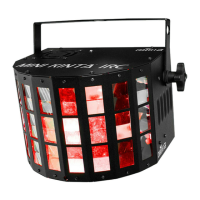
Press <DERBY> to activate connected derby and kinta effects.
While derby and kinta effects are active, press the associated <COLOR> button to cycle through
SCROLL, RAINBOW, RED, GREEN, BLUE, YELLOW, MAG (magenta), CYAN, WHITE, and the default
mode (AUTO or SOUND).
While not in the default mode (AUTO or SOUND), press <DERBY> to return to the default mode.
While in the default mode, press <DERBY> to deactivate connected derby and kinta effects.
Follow Spot Mode
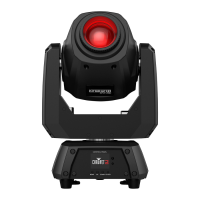
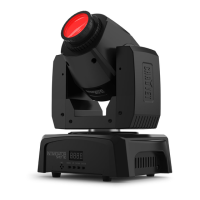
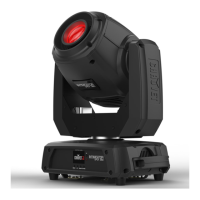
Follow spot mode sets connected moving heads to 2 custom pan, tilt, color, and gobo values.
Press <FOLLOW SPOT> to activate and deactivate follow spot mode. If not configured, follow spot mode
will not activate.
To configure follow spot mode, follow the instructions below.
1. Press and hold <FOLLOW SPOT> until the FOLLOW SPOT EDIT screen shows on the display.
2. Use the <Amber>, <Green>, <Cyan>, and <White> buttons to select which parameter to
configure.
• For either X and Y (pan and tilt) values, use the <X> encoder to set the pan from 000–255 and
use the <Y> encoder to set the tilt from 000–255.
• For either COLOR value, use the <X> encoder to select the color from 000–008.
• For either GOBO value, use the <X> encoder to select the gobo from 000–009.
3. Use the <Amber>, <Green>, <Cyan>, and <White> buttons to select SAVE (to save these settings
to follow spot mode) or CANCEL (to return to the home screen without configuring follow spot
mode).
4. Press the <X> encoder.






 To Next Page