15
Operation
ILS Command User Manual Rev. 1
Presets
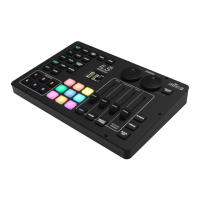
The ILS Command has 6 <PRESET> buttons which can store a show for instant playback.
In chase play mode, saved presets will cycle in numerical order. See Presets Playback Mode
for more
information.
To save the current output to a preset, do the following:
1. Press and hold the desired <PRESET> button until the Presets Setting screen shows on the
display.
2. Turn the <X> encoder to select a character to edit.
3. Press the <X> encoder.
4. Turn the <X> encoder to select the desired letter, number, or space.
5. Press the <X> encoder.
6. Repeat steps 2–5 until the preset is named as desired.
7. Turn the <X> encoder to select ENTER.
8. Press the <X> encoder. The Color Setting screen will show on the display.
9. Turn the <X> encoder to select the desired backlight color for the selected <PRESET> button,
from RED, AMBER, YELLOW, GREEN, BLUE, CYAN, or MAG (magenta). The backlight of the
button will flash a preview of the color.
10. Press the <X> encoder.
To update, rename/recolor, or delete a saved preset, follow the instructions below.
1. Press and hold the desired <PRESET> button until the Presets Setting screen shows on the
display.
2. Turn the <X> encoder to select from
• Edit/Update (to save the current look to the selected preset),
• Rename (to only rename or recolor the selected preset),
• Delete (to delete the selected preset), or
• Cancel (to return to the home screen without changing anything).
3. Press the <X> encoder.
4. For Edit/Update or Rename, Turn the <X> encoder to select a character to edit, or skip to step 9.
5. Press the <X> encoder.
6. Turn the <X> encoder to select the desired letter, number, or space.
7. Press the <X> encoder.
8. Repeat steps 2–5 until the preset is named as desired.
9. Turn the <X> encoder to select ENTER
.
10. Press the <X> encoder. The Color Setting screen will show on the display.
11. Turn the <X> encoder to select the desired backlight color for the selected <PRESET> button,
from RED, AMBER, YELLOW, GREEN, BLUE, CYAN, or MAG (magenta). The backlight of the
button will flash a preview of the color.
12. Press the <X> encoder.
To play back a saved preset, press the desired <PRESET> button.
To stop preset playback, press the <PRESET> button for the currently active preset.







 To Next Page