6
ILS Command User Manual Rev. 1
Operation
<RED>Button
Press to toggle all output to red (color override) and to select RED on the
Color Macro Setting screen
<AMBER>Button
Press to toggle all output to amber (color override), to select AMBER on
the Color Macro Setting screen, and to select a parameter when
programming follow spot mode
<YELLOW>Button
Press to toggle all output to yellow (color override) and to select
YELLOW on the Color Macro Setting screen
<GREEN>Button
Press to toggle all output to green (color override), to select GREEN on
the Color Macro Setting screen, and to select a parameter when
programming follow spot mode
<BLUE>Button
Press to toggle all output to blue (color override) and to select BLUE on
the Color Macro Setting screen
<CYAN>Button
Press to toggle all output to cyan (color override), to select CYAN on the
Color Macro Setting screen, and to select a parameter when
programming follow spot mode
<MAG>Button
Press to toggle all output to magenta (color override) and to select MAG
on the Color Macro Setting screen
<WW>Button
Press to toggle all output to warm white (color override), to select WW on
the Color Macro Setting screen, and to select a parameter when
programming follow spot mode
<UV>Button
Press to toggle all output to ultraviolet (color override) and to select UV
on the Color Macro Setting screen
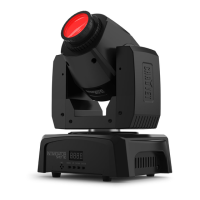
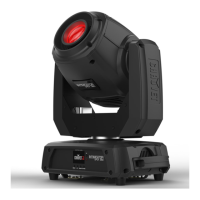
<MOVING HEAD> Button
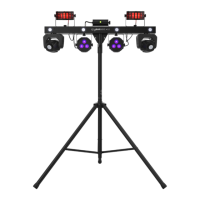
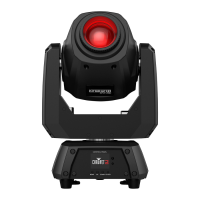
Press to activate moving heads, to set moving heads to default, and to
deactivate moving heads
<PAR> Button
Press to activate par and wash effects, to set par and wash effects to
default, and to deactivate par and wash effects
<LASER> Button
Press to activate laser control, to set lasers to default, and to deactivate
lasers
<STROBE EFFECT> Button
Press to activate strobe effects, to set strobe effects to default, and to
deactivate strobe effects
<DERBY> Button
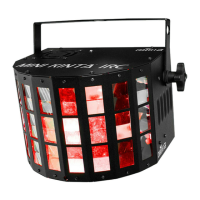
Press to activate derby and kinta effects, to set derby and kinta effects to
default, and to deactivate derby and kinta effects
<COLOR> Button
Press to cycle through colors for the associated effect
For moving heads, press and hold for color scroll
<MOVEMENT> Button Press to cycle through movement macros for moving heads
<SPEED> Button Press to cycle through speeds for the associated effect
<GOBO> Button
Press to cycle through gobo effects for moving heads, or press and hold
for gobo scroll
<MACRO> Button
Press to activate and cycle through macros for par and wash effects
Press and hold to select up to 4 colors for the macro effect
<PATTERN|SPEED> Button Press to cycle through patterns/speeds for lasers
<PATTERN> Button Press to cycle through patterns for strobe effects
<PRESET 1–6> Button
Press and hold to save shows to the preset slot, then use the <X>
encoder to name the preset and assign a button color
Press to activate and deactivate the preset
Label/Color Type Function






 To Next Page