Basic Operation-
-
CHCNAV LT700 GIS RUGGED TABLET USER GUIDE | 2019-04 P a g e | 22
3.10 Location
3.10.1 Turn on The Location Service
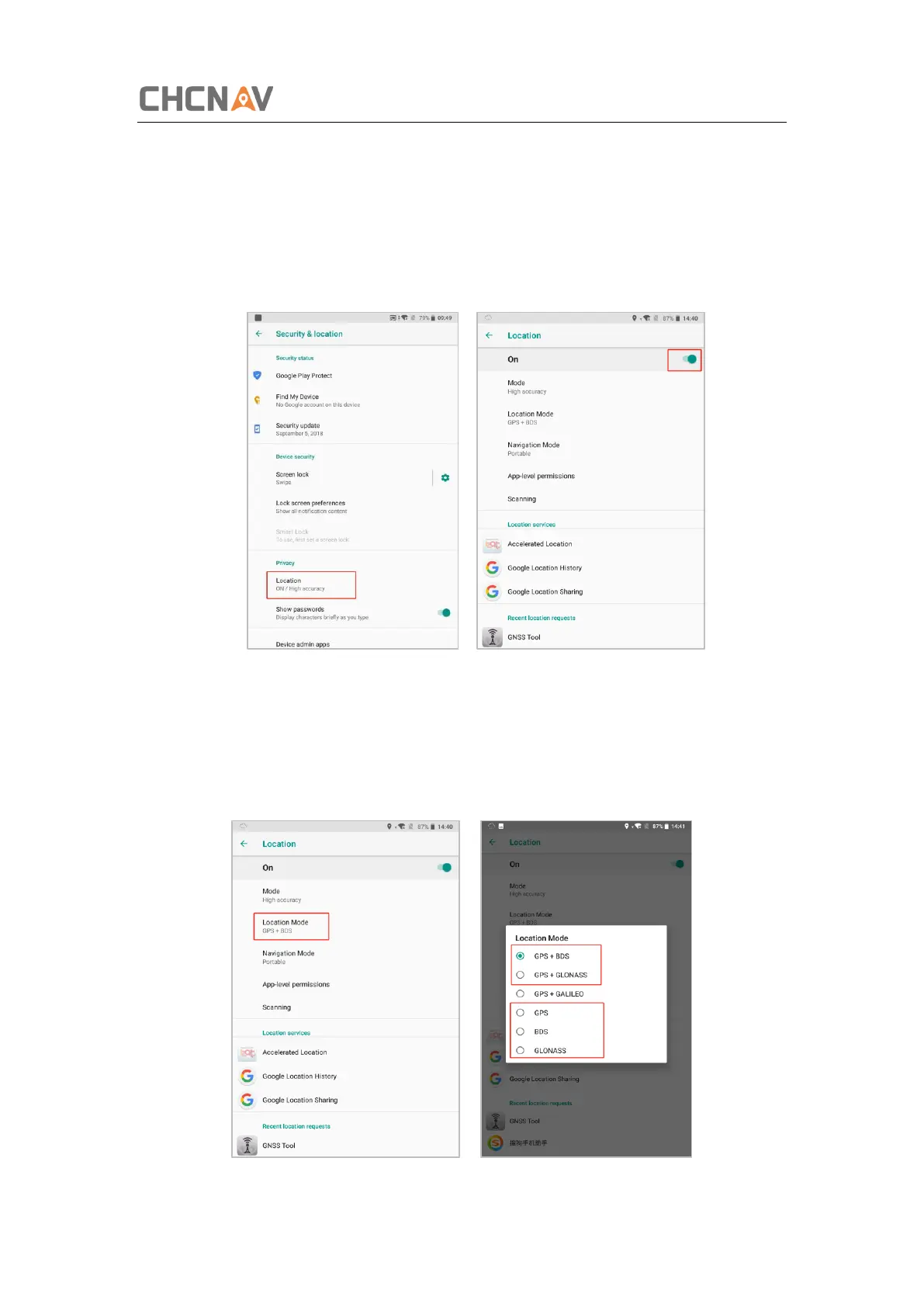
Click [Settings] – [Security & Location] – [Location] – [On] to switch on location service.
3.10.2 Select The Constellation Combination
On the [Location] panel, the choose [Location Mode], and the user can choose the
constellation/constellations.



 To Next Page