Install Third-Party Software-
-
CHCNAV LT700 GIS RUGGED TABLET USER GUIDE | 2019-04 P a g e | 25
4 Install Third-Party Software
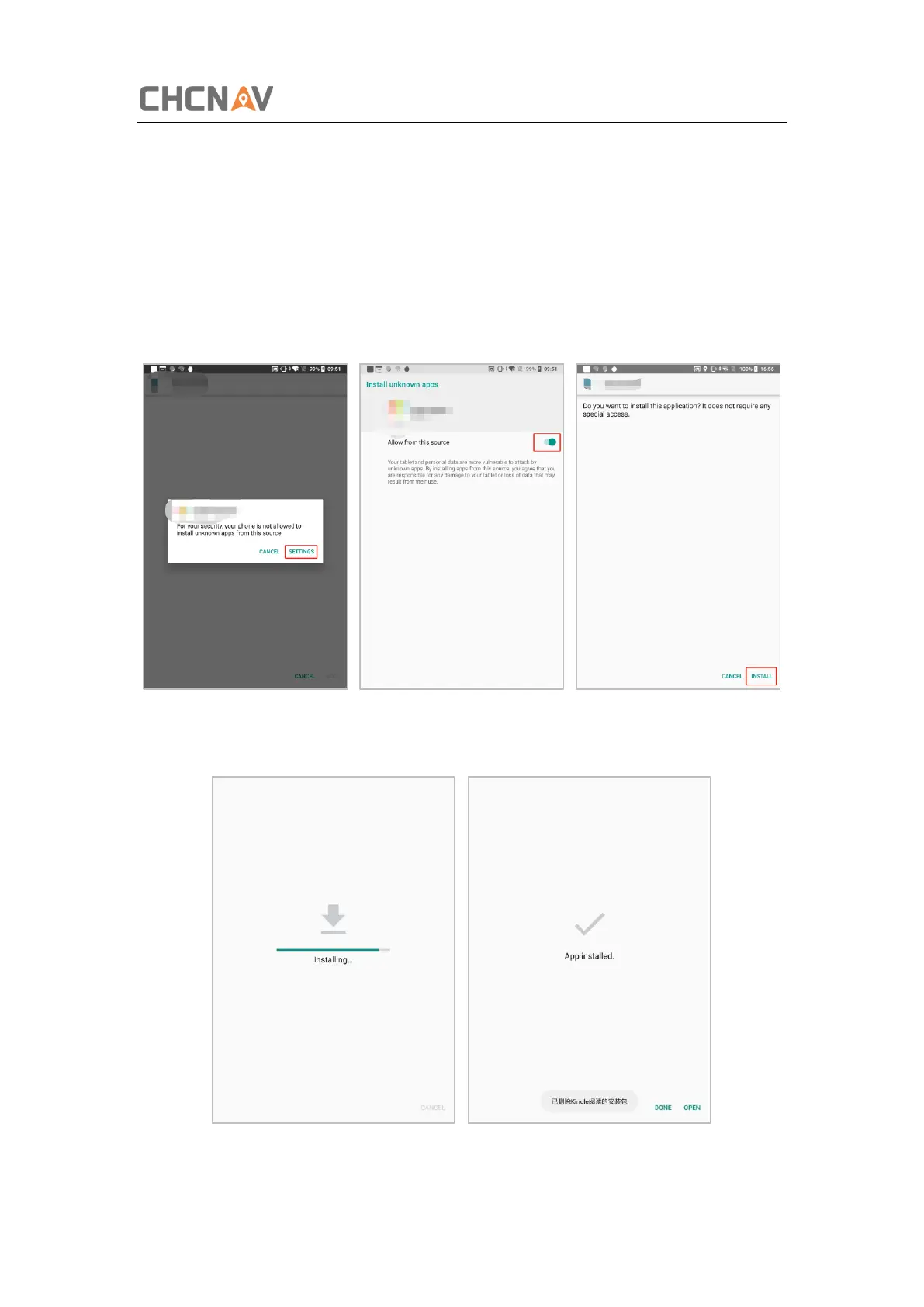
As for installing the third-party software, there are some steps to be followed:
1. Download the .apk file from the play store;
2. Click [Install] and a security confirmation message pops up, click [Setting] and
enter next step;
3. Click [Install] to continue the process;
4. Wait for the installing, and the ‘APP installed’ shows up when the installation
finished.



 To Next Page