Update The Android Operating System-
-
CHCNAV LT700 GIS RUGGED TABLET USER GUIDE | 2019-04 P a g e | 32
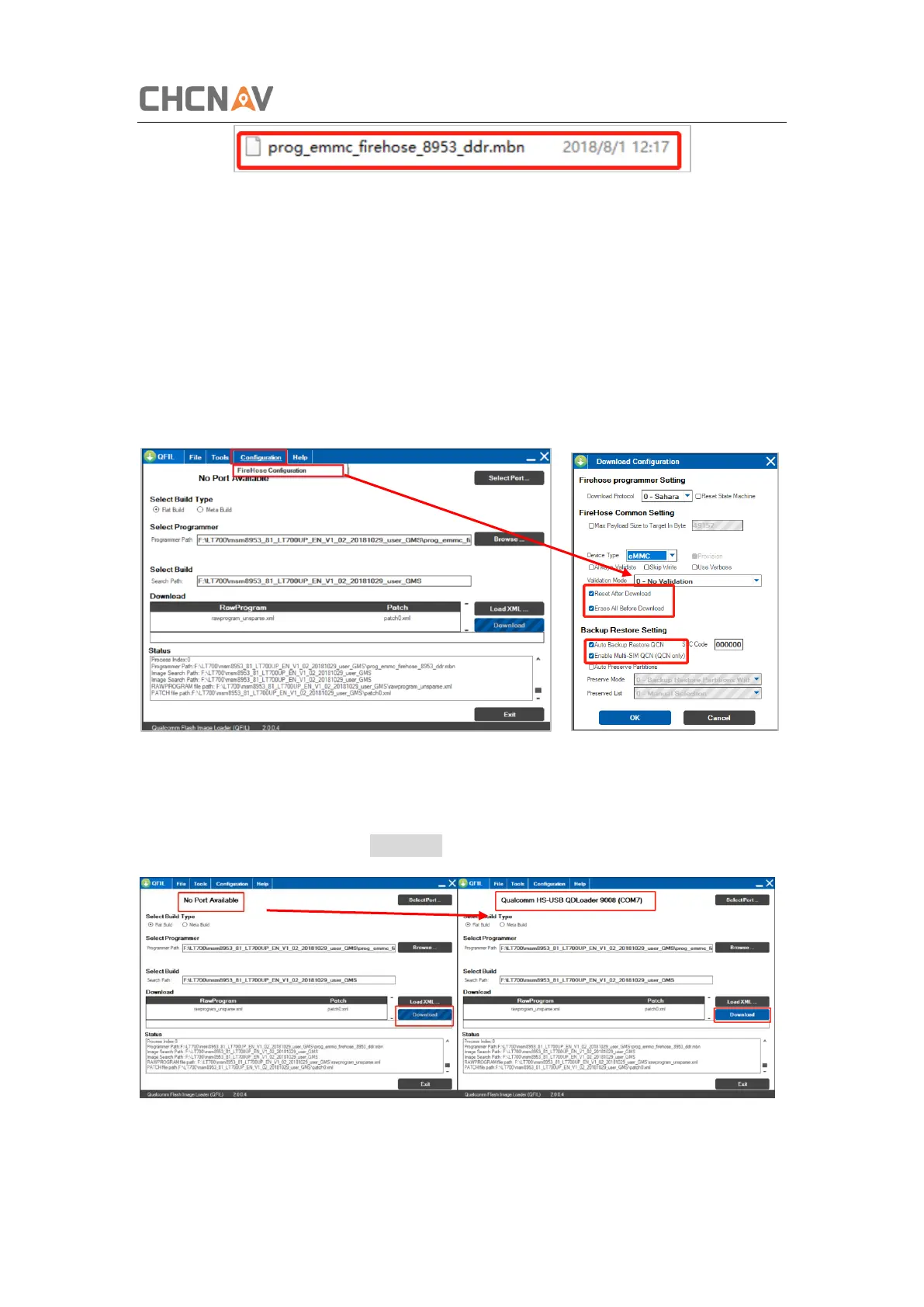
3. Check the [Flat Build] for the [Select Build Type];
4. For the [Select Programmer], click [Browse] and choose the only selectable file in
unzipped Android Operating System folder;
5. Select build;
Click [Load XML], and choose the default file (only choice);
6. [Configuration] – [FireHose Configuration], check [Reset After Download],
[Erase All Before Download], [Auto Backup Restore QCN] and [Enable Multi-SIM
QCN];
7. Connect LT700 to the computer via data cable, when the [No Port Available]
position changes to 9091/9008 Port, click download and wait until ‘Download
Success’ pops up. (if the computer cannot detect the LT700, please switch the
device into test mode, see chapter 5);
8. After the updating, please erase all the data:



 To Next Page