Getting Started With GNSSTool-
-
CHCNAV LT700 GIS RUGGED TABLET USER GUIDE | 2019-04 P a g e | 35
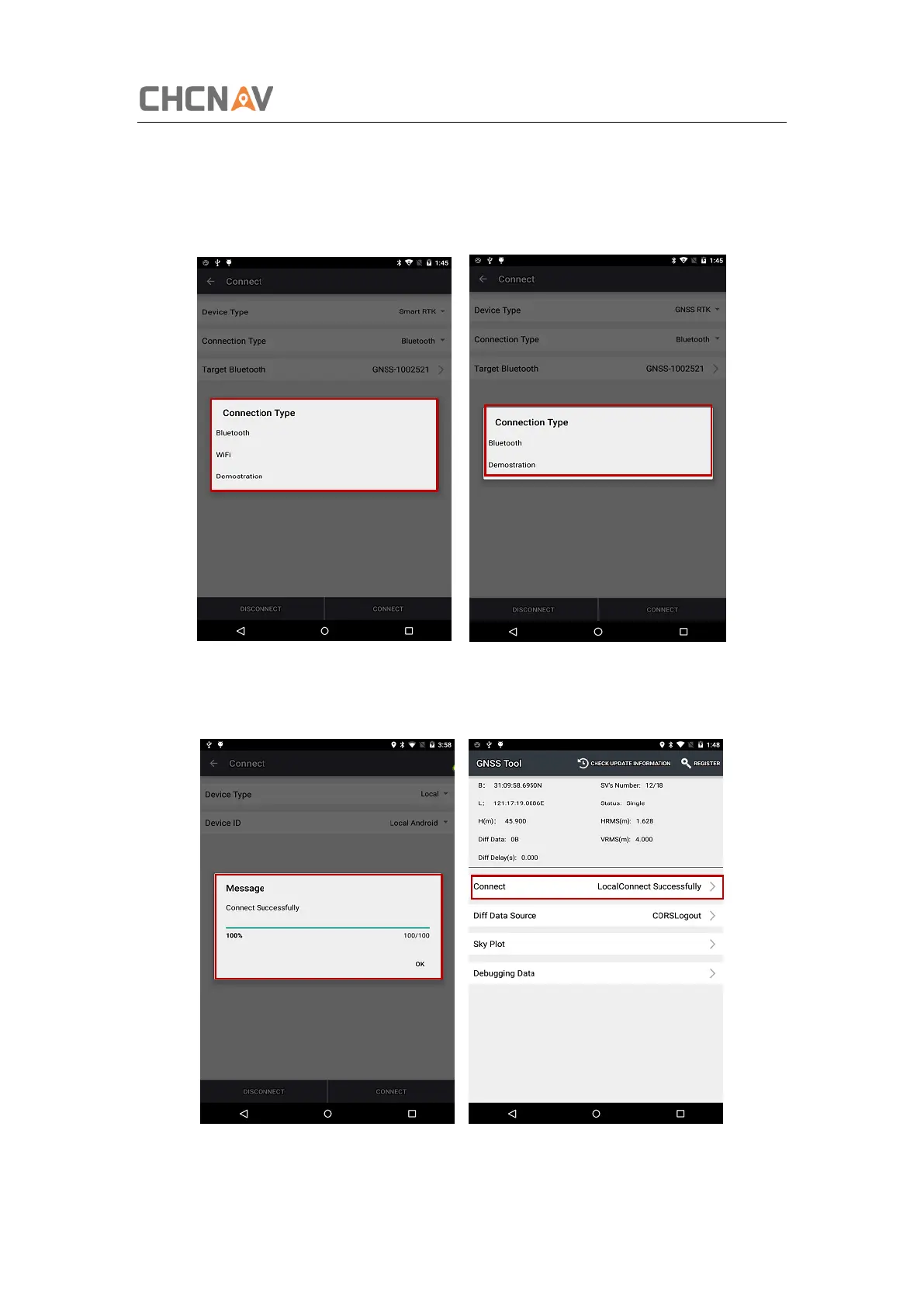
3. Connection Type: For smart RTK (like i80), we select Bluetooth, WIFI or
Demonstration. For GNSS RTK (like X91), we can select Bluetooth, and Demonstration.
For Local and Peripheral, we select the specific device type that we use. Here we select
LT700 for Connection Type.
4. Click [Connect] to connect with the receiver successfully and go back to the previous
interface.



 To Next Page