Getting Start with LandStar 8
CHCNAV LT800H GNSS TABLET USER GUIDE | 2023-08 P a g e | 21
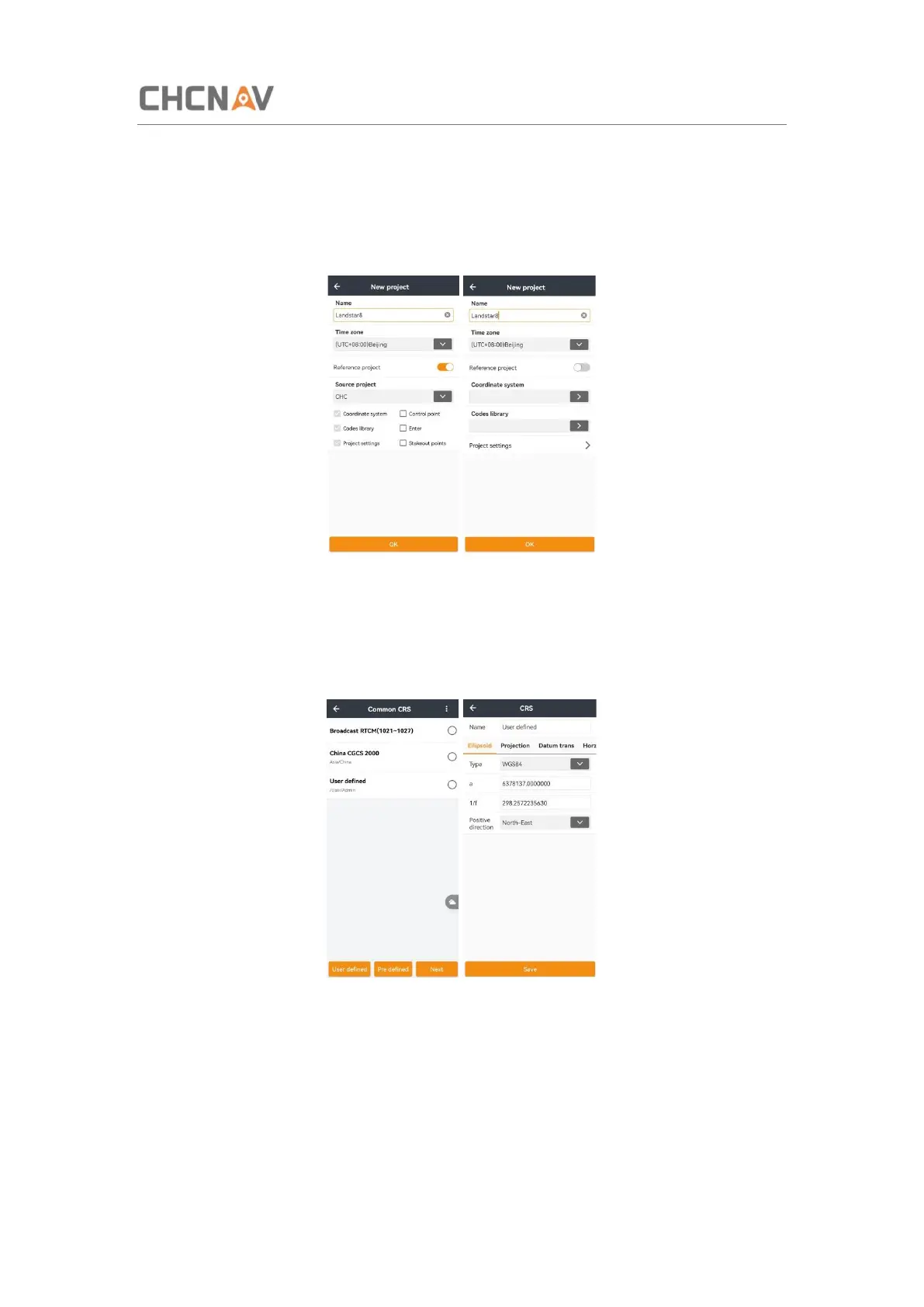
Name: Input the project name, backslash (/) is forbidden.
Time Zone: Choose the time zone in drop-down list from UTC-12:00 to UTC+14:00.
Reference project: choose a reference project and get the parameters automatically,
including Coordinate system, Codes library and Projects settings. Control point, Enter, and
Stakeout points are optional.
Coordinate System:
Users can create a new coordinate system or use the template of existing projects. Click User
defined to create a new coordinate system.
Set the right parameters according to the surveying area, and then click Save to finish CRS
configuration.



 To Next Page