Getting Start with LandStar 8
CHCNAV LT800H GNSS TABLET USER GUIDE | 2023-08 P a g e | 25
4.5 CORS / RTK Network Correction Login
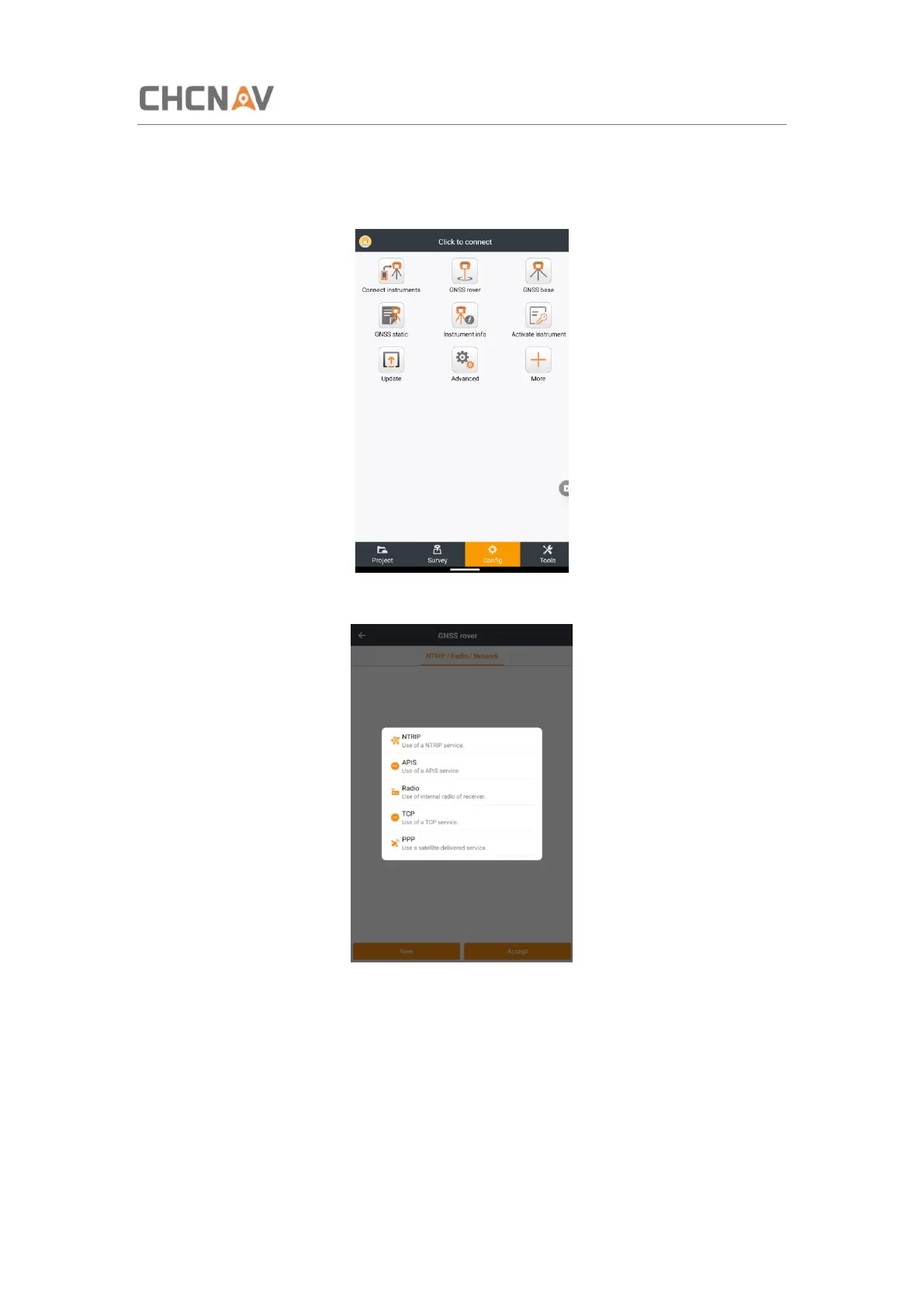
Click [Config] - [GNSS rover] to create or accept a work mode.
Click New to create a work mode and choose NTRIP table.
Name: Enter a name for this work mode.
Network: Choose a model for supplying internet. Include PDA network and Receiver network.
Domain/IP: input the corresponding Ntrip IP.
Port: input the corresponding Port.
Select a server: you could add a server and save it. Next time you can choose it in this
interface.



 To Next Page