Configuring the Appliances
6000 and 7000 Appliances Getting Started Guide|31
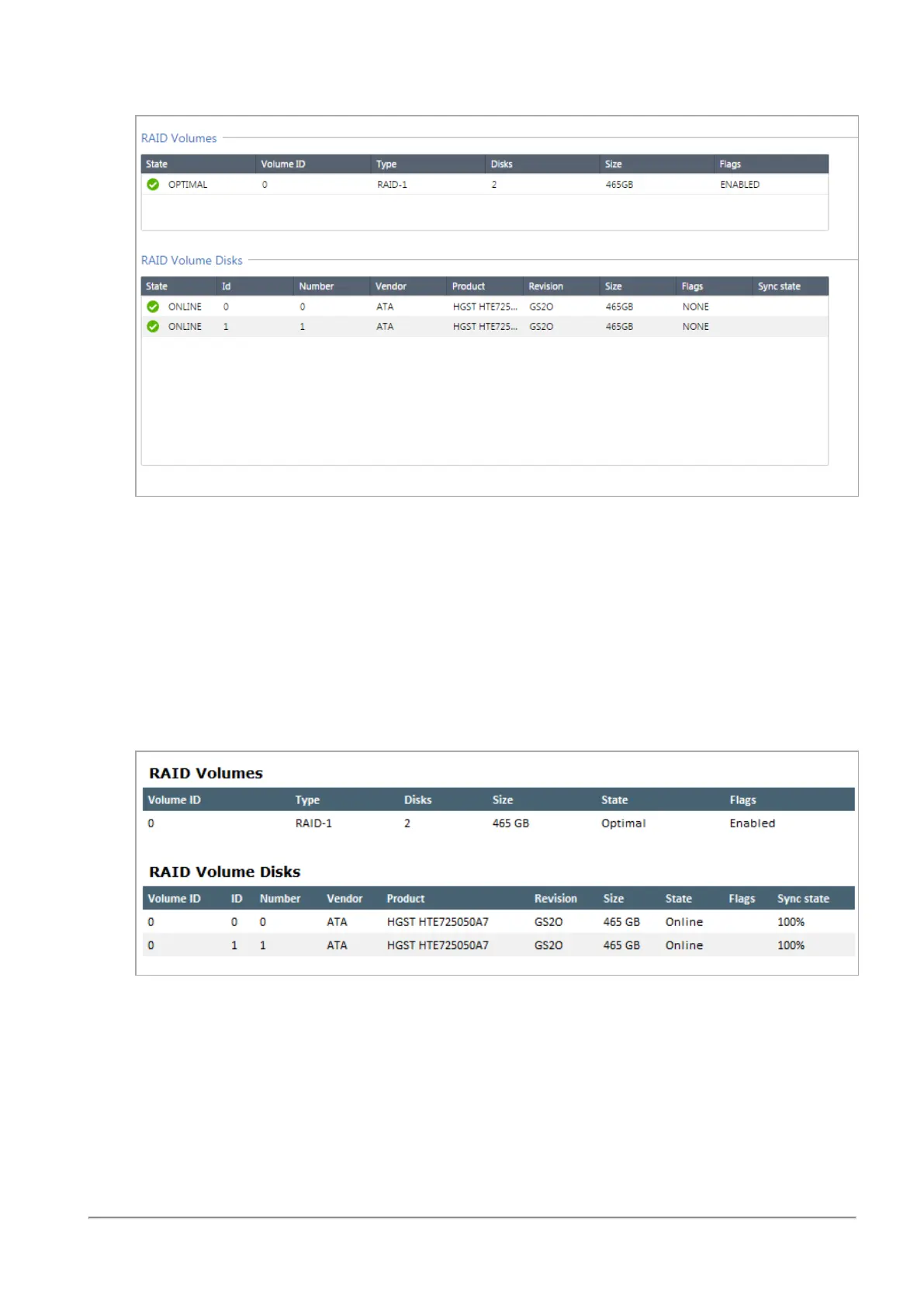
The window shows volume and disk information.
To monitor the RAID status from SmartConsole on versions R80.10 and higher:
1. In SmartConsole, open the Gateways & Servers view.
2. Right-click the Security Gateway that represents the appliance and select Monitor.
3. Click System Information.
4. Click RAID Volumes.
The window shows volume and disk information.
To monitor the RAID status of the storage devices using SNMP:
Set up SNMP traps to send information about the RAID.
Use OID: 1.3.6.1.4.1.2620.1.6.7.7
For more about how to configure the SNMP settings on the appliance, see the Gaia Administration
Guide for the applicable version.








 To Next Page