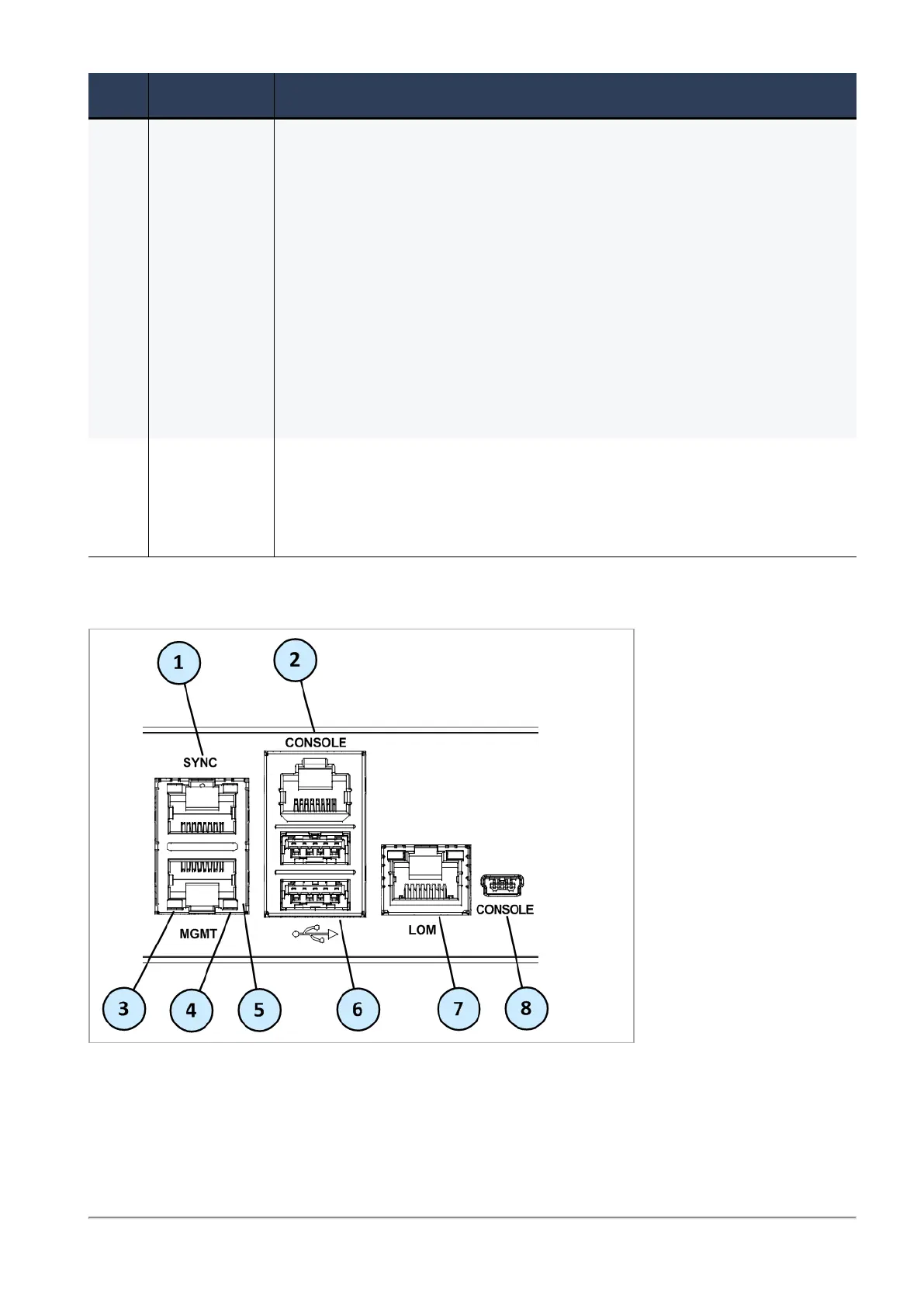
6000/7000 Appliances Hardware
6000 and 7000 Appliances Getting Started Guide|36
Item Component Description
7 Factory reset
/ Locator /
Alarm Off
n 6200 Base, 6600, 6700, 6900, and 7000 appliances - Locator - Press
the button to turn the Location beacon LED on and off in the
appliance.
n 6200 Plus/Turbo and 6400 appliances - Provides Locator and
Alarm Off functionalities.
l Locator - Press the button to turn the Location beacon LED
on and off in the appliance.
l Alarm Off - Press and hold it to turn off the sounding alarm
when there is a PSU failure.
n 6500 appliances - Factory reset - Press and hold to restore the
appliance to its factory defaults.
n
6800 appliances - See "Restoring Factory Defaults" on page47.
8 Storage
devices
6900 and 7000 appliances only - When monitoring the storage devices
with the raid_diagnostic command, DiskID 0 is the top storage
device, and DiskID 1 is the bottom (numbered 1 and 2 on the
appliance's chassis).
Front Panel Ports








 To Next Page