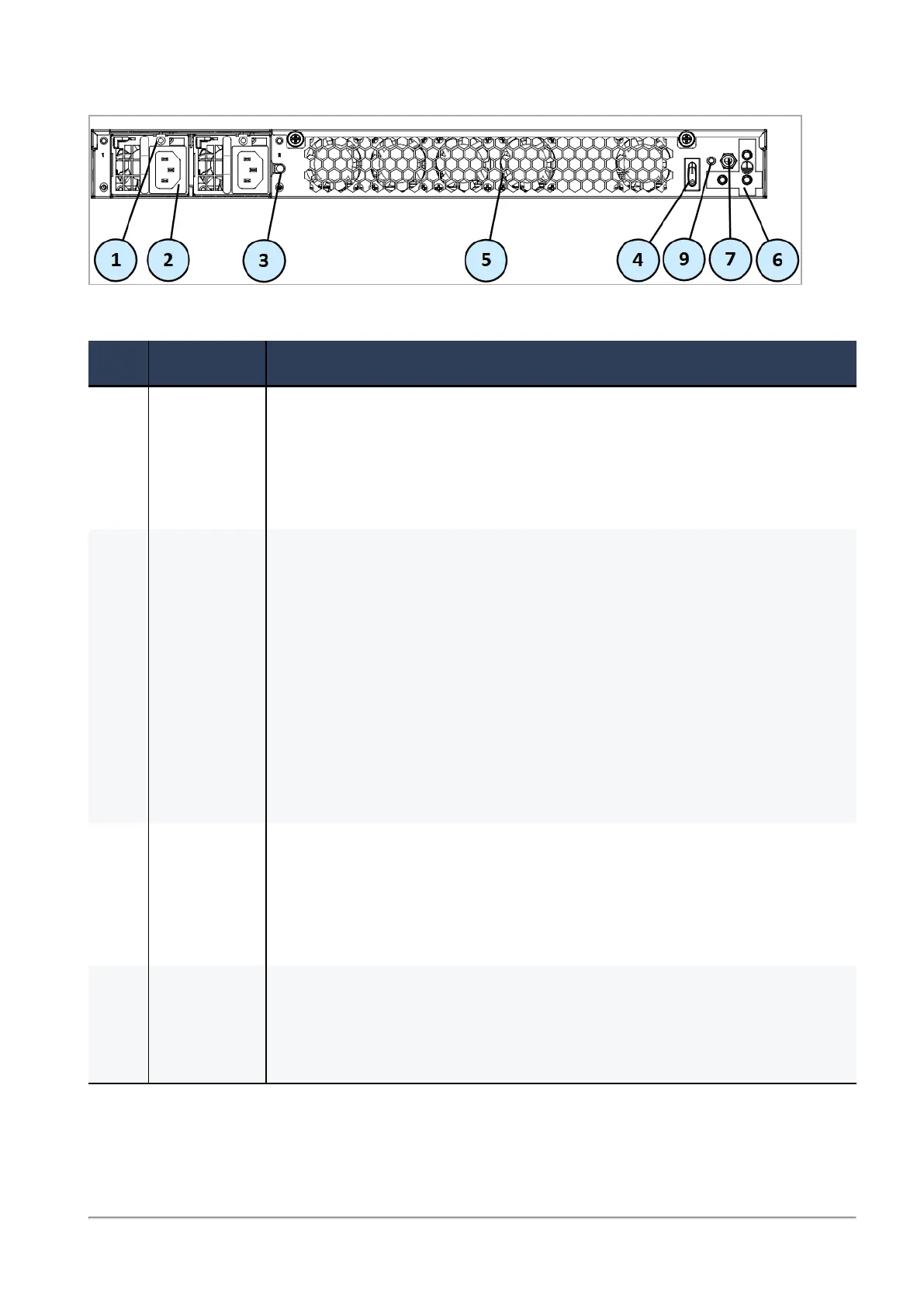
6000/7000 Appliances Hardware
6000 and 7000 Appliances Getting Started Guide|40
7000 Base/Plus
Item Component Description
1 LED
indicator
for each
power
supply unit
Off - Power supply is not connected to an electric outlet
n On (Amber) - Power off
n On (Green) - Power on
n On (Red) - Failure
2 Power
supply
unit/s
Connect to an electric outlet.
In 6200 Base, 6600, 6700 Base, 6900 Base, and 7000 Base appliances, one
module is included.
In 6500 and 6800 appliances, an optional dual redundant hot-swappable
power supply is available.
In 6200 Plus/Turbo, 6400, 6700 Plus, 6900 Plus, and 7000 Plus appliances
two modules are supplied.
You can use the cable restraints/clips to avoid accidental removal of the
power supply cable.
In 6200 and 6400 appliances - unscrew the screw directly above the
power supply inlet for the cable restraint strip.
3 Alarm off
button for
power
supply
units
If a power supply cable is not connected to the outlet, an alarm sounds
continuously. Press this button to turn off the alarm.
In 6200 Plus/Turbo and 6400 appliances - see the "Front Panel" on
page34 for this functionality.
4 Main power
switch
When the appliance is turned off, turns the appliance on.When the
appliance is turned on, pressing and releasing the switch will start an
orderly shutdown process. Alternatively, holding the switch for 4
seconds will force a machine shut down.








 To Next Page