Classification [Protected] P/N:705873
© 2018 Check Point Software Technologies Ltd. All rights reserved.
For a list of our trademarks, please refer to: www.checkpoint.com/copyright.html.
For a list of our Third Party Copyright notices, please refer to: www.checkpoint.com/3rd_party_copyright.html
Smart-1 Installing and Removing
DC Power Supply Units
705873
Protected
2018
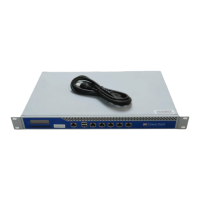
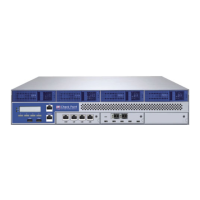
This document is for Smart-1 5050 and Smart-1 5150 models.
Safety Instructions
• Whenever you need to lift the appliance, get others to assist you. To avoid
injury, do not attempt to lift the appliance by yourself.
• Opening or removing the appliance cover, while the appliance is powered on
may expose you to a risk of electric shock.
• Do not operate the appliance without the cover for a duration exceeding five
minutes. Operating the appliance without the cover can result in component
damage.
• Many repairs may only be done by a certified service technician. You should
only perform troubleshooting and simple repairs as authorized in your
product documentation, or as directed by the technical support.
• It is recommended that you always use an antistatic mat and antistatic strap
on your wrist, while working on components inside the appliance.
• To ensure proper operation and cooling, all bays in the appliance and
cooling fans must be always populated with a component or a blank.
For more information, see the
Enterprise Products Safety, Environmental, and
Regulatory Information
booklet supplied in the original shipping carton
containing the appliance.












 To Next Page

