4
Configure Your Smart-1 Appliance
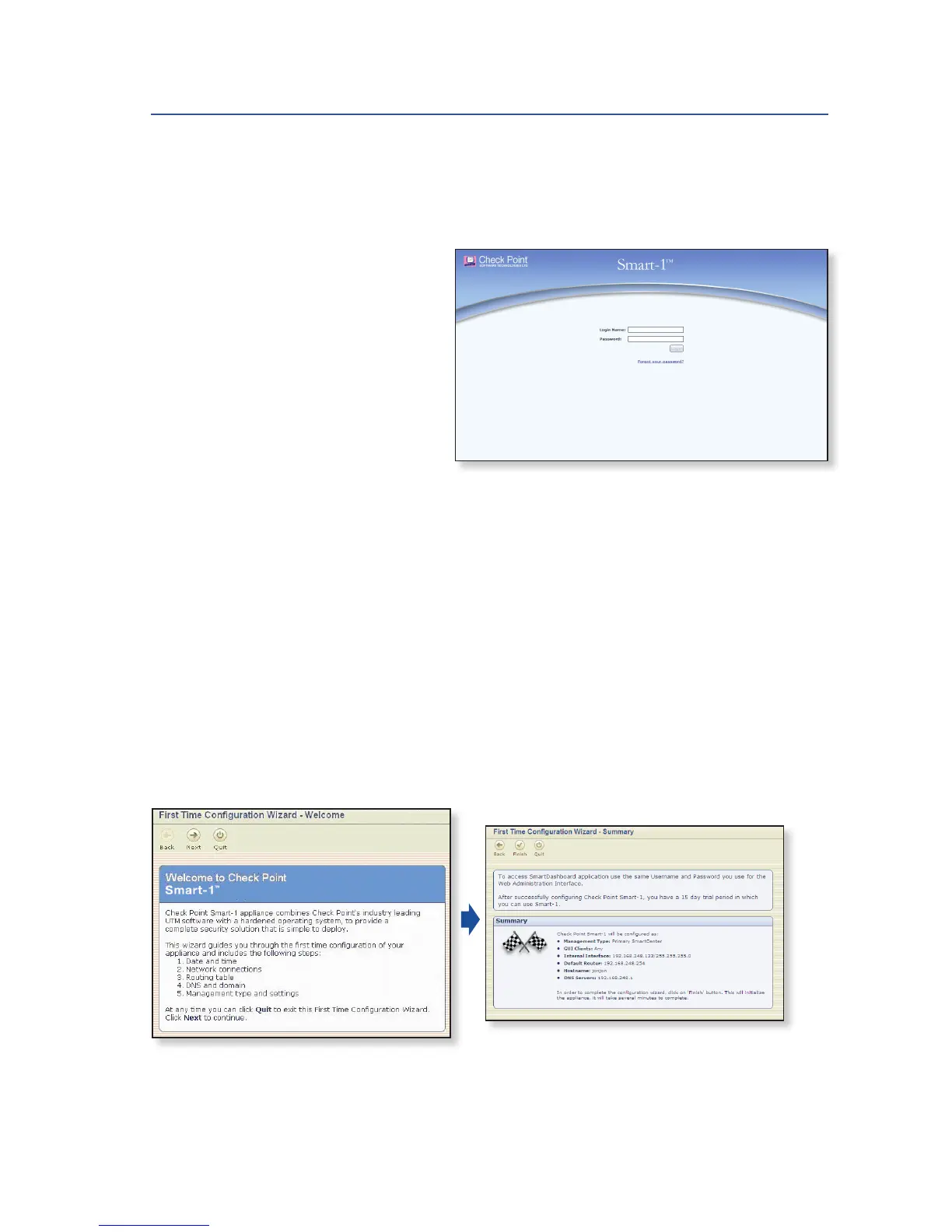
• Launch the Web browser and
type https://192.168.1.1:4434
in the address bar.
Note – When using the Internet
Explorer 8.0 browser, you
might receive a certificate
error page due to a known,
unresolved browser conflict.
Click Continue to this Web site.
• Log in with the default
system administrator
login name/password,
admin/admin, and click Login.
Note – Popups must always be allowed on
https://<appliance_ip_address>.
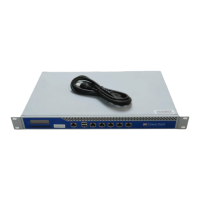
• After logging in for the first time and changing the default login name and pass-
word, the First Time Configuration Wizard will begin automatically.
• The wizard will guide you through the connection setup process.
Fill in the parameters as required and click Finish.
Figure 2: Smart-1 Appliance Login page
Figure 4: First Time Configuration
Wizard – Summary page
Figure 3: First Time Configuration
Wizard – Welcome page
For additional information regarding setting up your appliance, refer to the
Smart-1 Getting Started Guide.











 To Next Page