F10 Installation Manual Rev. *60 41 of 71
Configure to ECO Mode
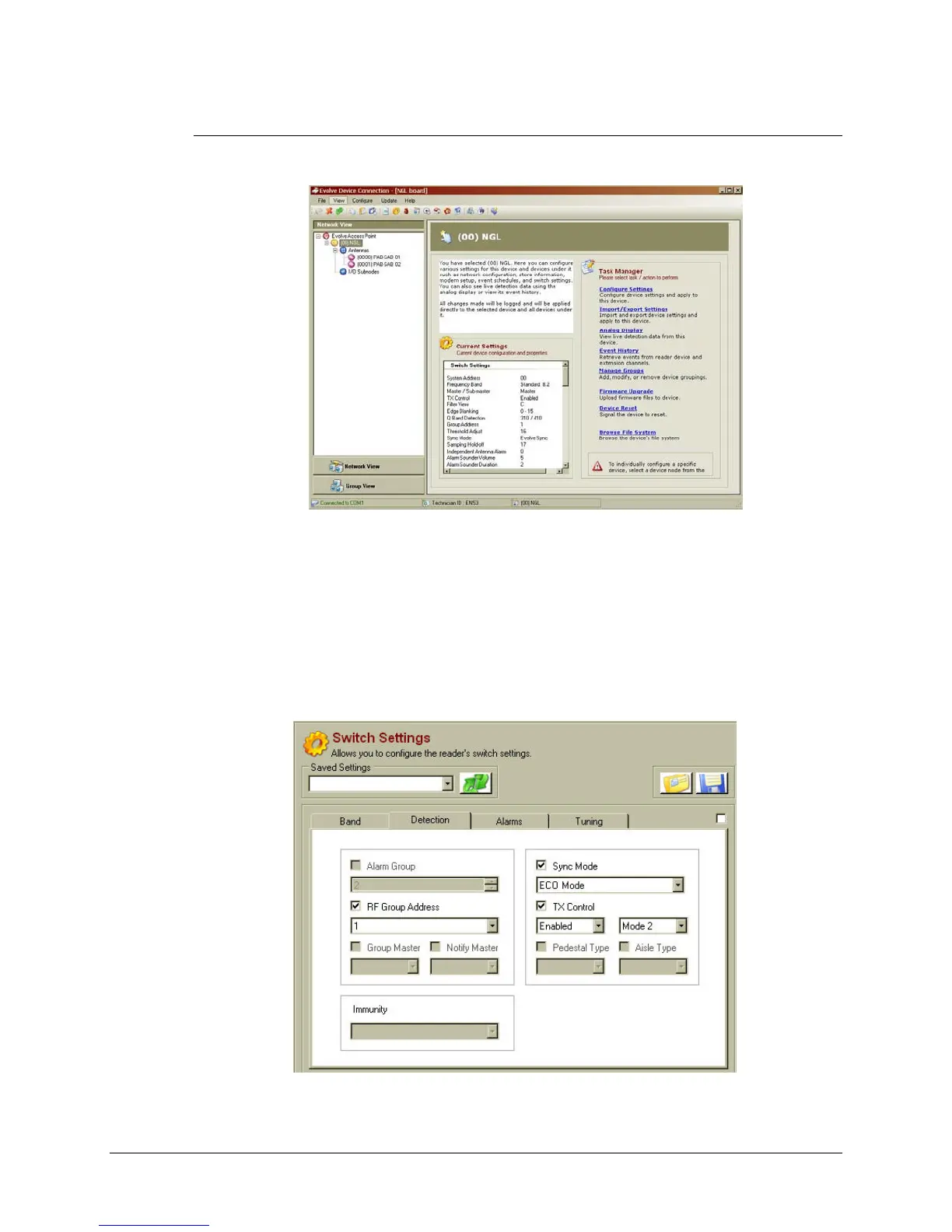
1. Using the DMS tool, connect to the TR4215 board. Figure 5-3 shows the opening screen
with the Network view expanded to show all devices.
Figure 5.3 DMS Network and Task Manager View
2. Navigate to the Switch Settings window (click Configure Settings, shown above).
3. Under the Detection Tab, fill in the following parameters:
• RF Group Address: choose an Address between 1 and 6. The address should
match any other reader.
• Sync Mode: set to "ECO Mode" for the F10, 1 meter system or 2 x 1m system.
For the 2 meter system, set the sync mode to “Detector” or “Primary Non ECO.”
• TX Control: set to Enabled, Mode 2.
Figure 5.4 Detection Tab, Switch Setting Parameters



 To Next Page