F10 Installation Manual Rev. *60 49 of 71
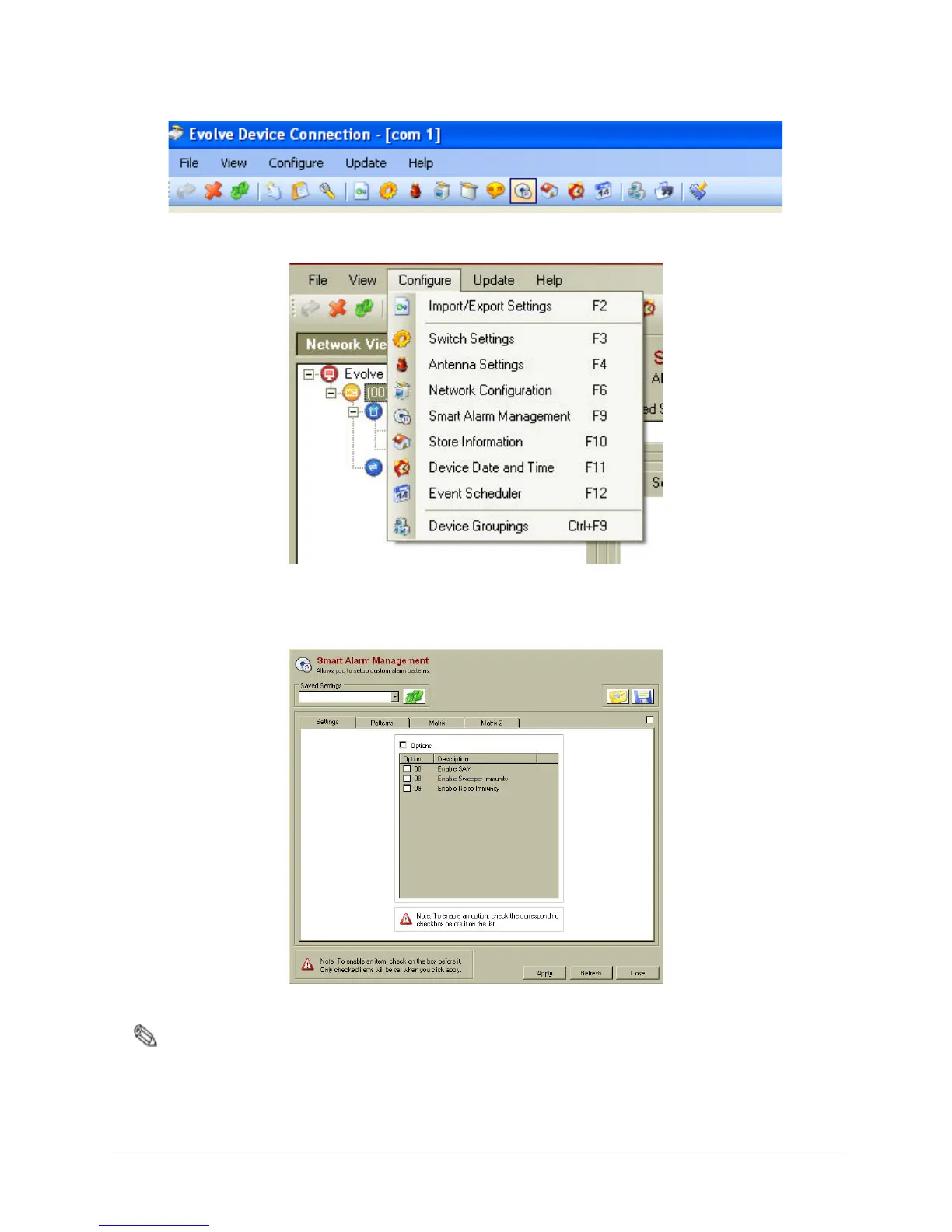
Figure 5.11 DMS Toolbar with SAM Icon Highlighted
Figure 5.12 Configure Menu in the DMS System
4. After the SAM screen (shown below) appears, the device is ready for configuration.
Figure 5.13 SAM Screen
Note: The pre-production version of the firmware only has the "Enable SAM" option available and not the
other two.
Below are on details all of the available options (if using a feature, select the applicable checkbox):



 To Next Page