EasyManua.ls Logo

Chentronics iScan 3 - User Manual

Chentronics iScan 3
22 pages
Print Icon
To Next Page IconTo Next Page
Loading...
RELATED DOCUMENT MUST COMPLY WITH SCHEDULE DOCUMENT(S):
CERT-iS3 MNL, CDM-10000105, 106, 107, 108, 109, 110,
113, 119, 167, 188, 191, 192
FOR A LIST OF RELEVANT PATENTS
AND TRADEMARKS PLEASE SEE
CHENTRONICS.COM/LEGAL-NOTICES
iScan®3 MANUAL
PAGE 1 OF 22
ISO 9001 CERTIFIED
DRAWN BY:
AR
ON:2021-MAY-14
LAST REV BY:
AR
ON:2022-AUG-01
DCO No.
14724
REV. F
THIS DRAWING OWNED BY CHENTRONICS. IT IS
CONDITIONALLY LOANED AND IS TO BE RETURNED UPON
REQUEST. THE BORROWER BY RECEIVING IT HAS AGREED
NOT TO REPRODUCE NOR COPY IT IN WHOLE OR IN PART NOR
TO FURNISH INFORMATION FROM IT TO OTHERS NOR TO
MAKE ANY USE OF IT THAT IS OR MAY BE INJURIOUS TO
CHENTRONICS. FOR MORE INFORMATION, PLEASE CONTACT
CHENTRONICS AT +1.607.334.5531.
TOLERANCE NOTES
FABRICATED TOLERANCES
2 ft (610 mm) ± 0.250 in (6.4 mm)
< 2ft (610 mm) ± 0.125 in (3.2 mm)
MACHINED TOLERANCES
± 0.050 DECIMAL DIM (1 PLACE)
± 0.010 DECIMAL DIM (2 PLACES)
± 0.005 DECIMAL DIM (3 PLACES)
MNL-ISCAN3
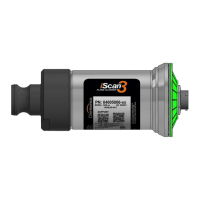
iScan®3
Flame Scanner
KEEP THIS MANUAL IN A SAFE PLACE
FOR FUTURE REFERENCE
READ THIS MANUAL BEFORE USING THIS PRODUCT. FAILURE TO FOLLOW THE INSTRUCTIONS AND SAFETY
PRECAUTIONS IN THIS MANUAL CAN RESULT IN SERIOUS INJURY, DEATH, OR DAMAGE TO EQUIPMENT.
Question and Answer IconNeed help?

Do you have a question about the Chentronics iScan 3 and is the answer not in the manual?

Summary

Important Safety Information

Product Features

Ease of Installation

Simple cam-and-groove mechanism allows for quick mounting, release, and rotation of the scanner.

Thermal Protection

The iScan®3 Flame Scanner has redundant safety features for exposure above the maximum temperature rating.

Technical Specifications

Definitions

Defines key terms like FLICKER, FDORT, FDRT, MFFRT, ROL, iScan Software, GAIN, and DISCRIMINATION.

Specification Table

Presents a table of specifications including Part Number, Area Classification, and certifications.

Wiring Instructions

Wiring Diagram

Illustrates the electrical connections for the iScan3 Flame Scanner, showing cable routing and terminal connections.

Cable Connection

Explains how to connect the power/control cable to the scanner's electronics using the quick disconnect feature.

Locking Nut Installation

Details the procedure for installing the locking nut to secure the cable connection, including torque specifications.

Communications Wiring

Covers RS-485 communication setup, including network topology, repeaters, and wiring considerations.

Daisy Chain Configuration

Explains the 'Daisy Chain' network configuration for connecting multiple iScan3 scanners via RS-485.

Split or Y Chain Configuration

Details the 'Split or Y Chain' network configuration for connecting multiple iScan3 scanners via RS-485.

Remote File Select

Describes the Remote File Select feature for automatically selecting configuration files using wire configurations.

Sighting The Scanner

Ring of Light Scanner Status Display

Explains how to interpret the LED status indicators on the scanner's 'Ring of Light' for operating modes and faults.

Cleaning the Lens

Provides instructions for periodic cleaning of the quartz glass lens to ensure proper scanner operation.

Warranty Instructions

Maintenance and Special, “X,” Conditions of Use

Technical Support

Chentronics iScan 3 Specifications

General IconGeneral
Optical Resolution600 dpi
Color Depth24-bit
InterfaceUSB 2.0
Scanning TechnologyContact Image Sensor (CIS)
Maximum Document SizeA4
Power Consumption2.5W (Operating), 0.5W (Standby)
Operating System CompatibilityWindows 7/8/10