MNL-ISCAN3, REVB INSTALLATION & OPERATION MANUAL Page 23 of 25
DCO #12743 For Technical Support Call: +1.866.821.5504 Schedule Document
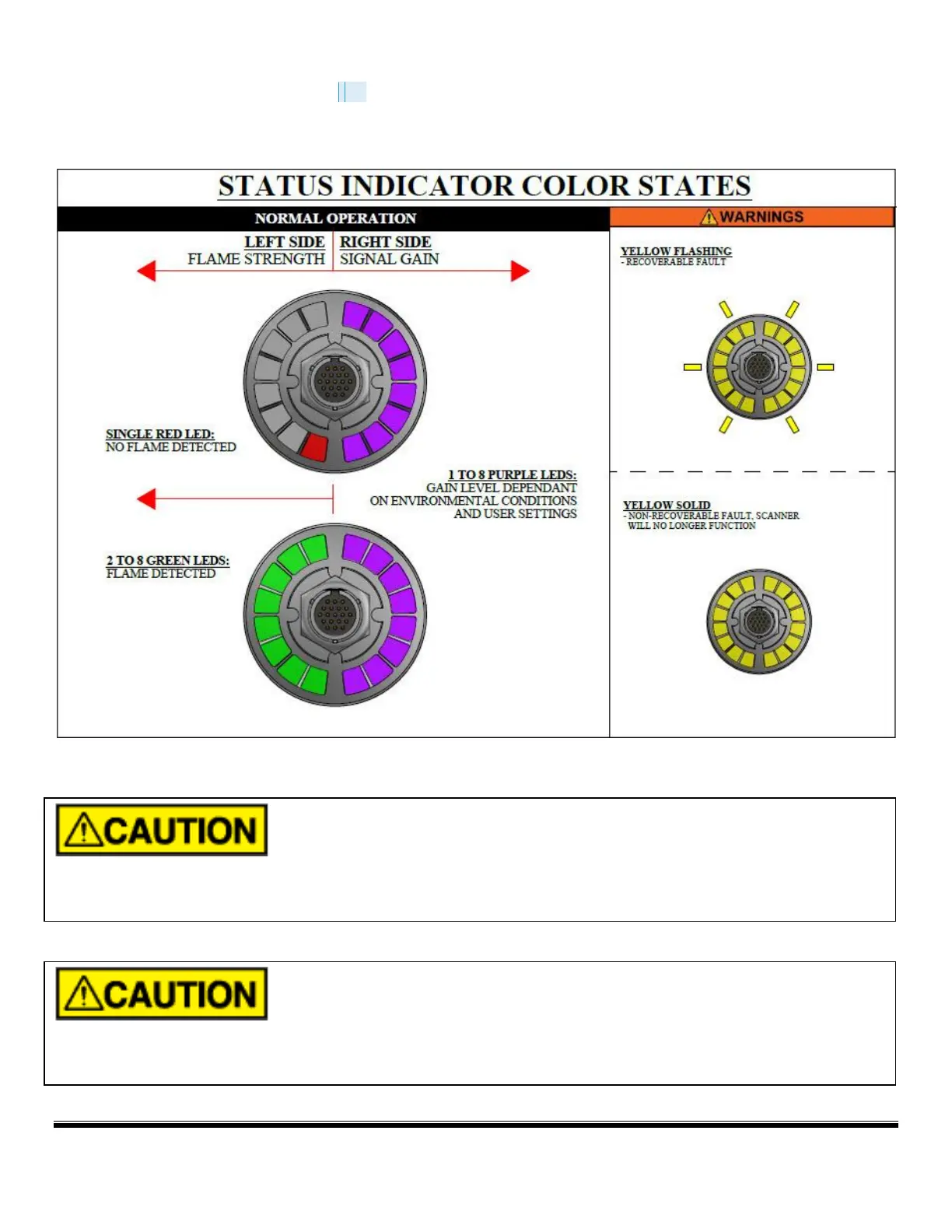
Ring of Light Scanner Status Display
Move the scanner while observing the LEDs
on the back of the scanner. The left LEDs will turn red and light up just 1 bar
when no flame is detected, when running under auto gain mode, the right LEDs will show purple color and the bar number
will increase until it reaches to half ring. For optimal flame sighting, the left LEDs will light up multiple bars to green color.
DO NOT use the scanner if the LEDs are all Yellow and flashing.
NE PAS utiliser le scanner si les voyants sont tous jaunes et clignotants.


 To Next Page