MNL-ISCAN3, REVB INSTALLATION & OPERATION MANUAL Page 24 of 25
DCO #12743 For Technical Support Call: +1.866.821.5504 Schedule Document
Maintenance
The scanner is a rugged, high temperature device, and contains no moving parts.
NEVER open the scanner housing. Doing so may damage the scanner and will void the warranty.
N'ouvrez JAMAIS le boîtier du scanner. Cela pourrait endommager le scanner et annuler la garantie
Cleaning the Lens
The only maintenance that may be required is periodic cleaning of the outside of the quartz glass lens. To clean the
lens:
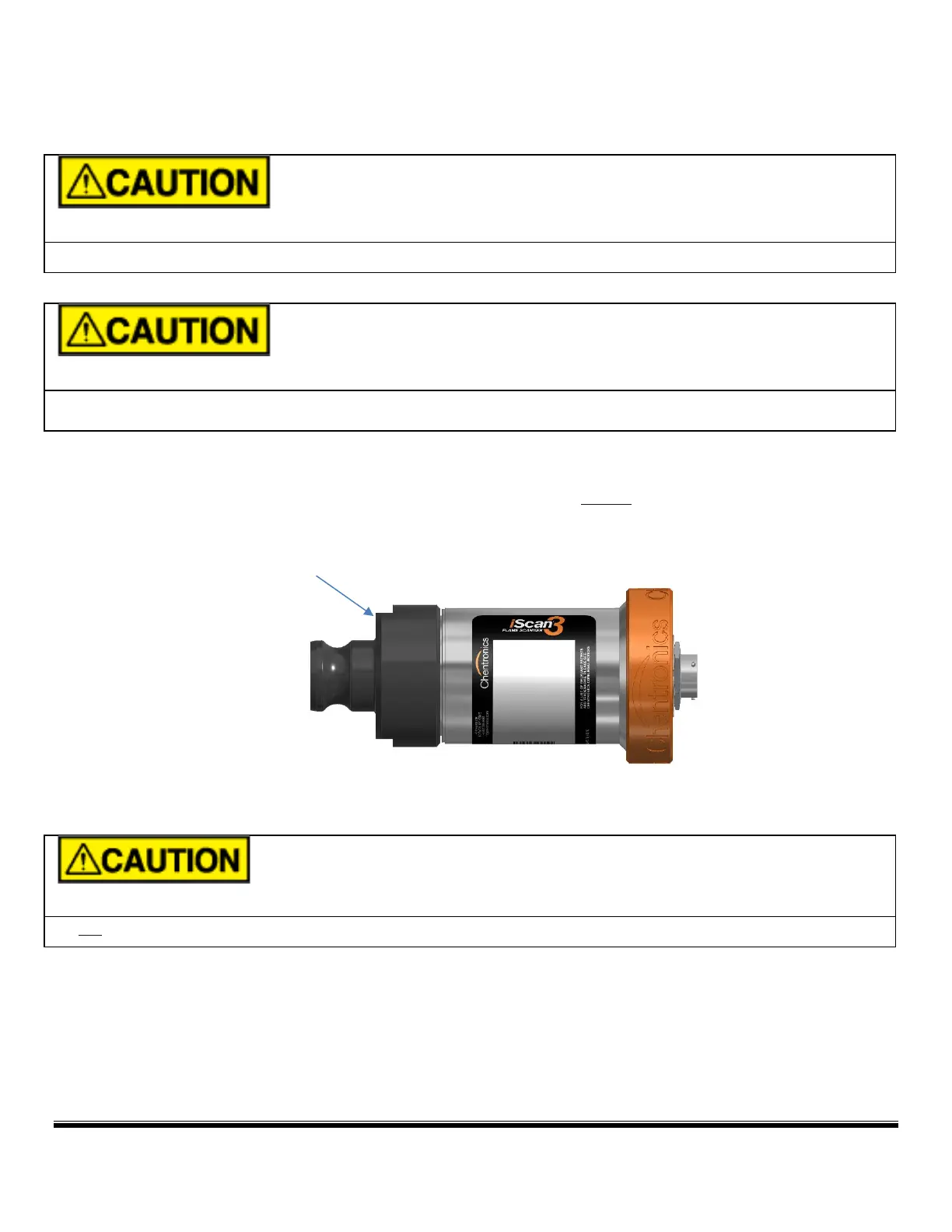
Step 1: Remove the scanner from the scanner mount and unscrew (counter clockwise) to remove the black
Delrin Camlock from the stainless steel body.
Step 2: Clean the lens with a clean lint free cloth
Step 3: Replace the black Delrin Camlock and Reinstall the scanner.
Do not remove the lens from the scanner housing. Doing so may damage the scanner and will void the warranty.


 To Next Page