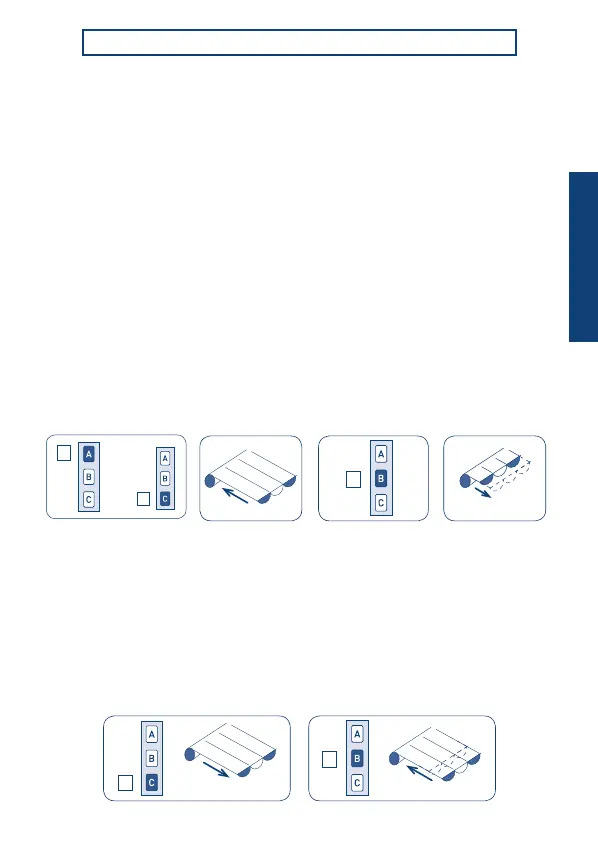
SETTING THE OPENING LIMIT SWITCH
31
After setting the closing position, open the awning until the necessary opening position
by pressing the “down” button. You can use the “up”/”down” buttons to precisely
set the opening position (in applications pergolas that allow this, you must press
and hold the button until the motor stops automatically to the maximum opening).
To set the opening position, hold pressed the “stop” button (around 2 sec) until the motor
performs a short “up” movement.
Tn Tn (2 sec)
Tn (2 sec)
Tn
To set the closing position, hold pressed the “stop” button (around 2 sec) until the motor
performs a short “down” movement.
Tn: Already programmed remote control
SETTING OF THE LIMIT SWITCHES
SETTING THE CLOSING LIMIT SWITCH
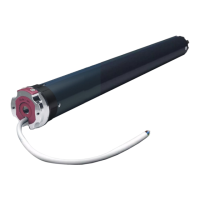
Tubular motors have an electronic limit switch system with an encoder. This system
ensures great reliability and precision in keeping the positions. Limit switch regulation is
performed simply with the remote control. During setting, the motor moves only as long
as the up or down button is pressed, stopping when the button is released.
At the end of setting, press either the up or down button briey to move the motor.
After setting the remote control, it’s necessary to set rst the closing position!
For cassette-awnings, hold the button pressed until the motor stops automatically on the
closing position. For open awnings, hold the button pressed and drive until the necessary
closing position.
Notes: - If the awning is completely closed, you have rstly to open it by around 20 cm.
- Because the correct rotation direction will be identied only after the closing
position is set, to close the awning, during setting the closing position, it’s
sometimes necessary to use the “down” button.
?
up
A
C
B
down
B
C
ENGLISH


 To Next Page