Chiltrix Inc. www.chiltrix.com
9 FAULTS Touch the ERROR icon to access the current error.
Fault application is used to query the current or historical fault. After entering the fault application, click
on the main window of the "current fault" or "historical failure" to display errors.
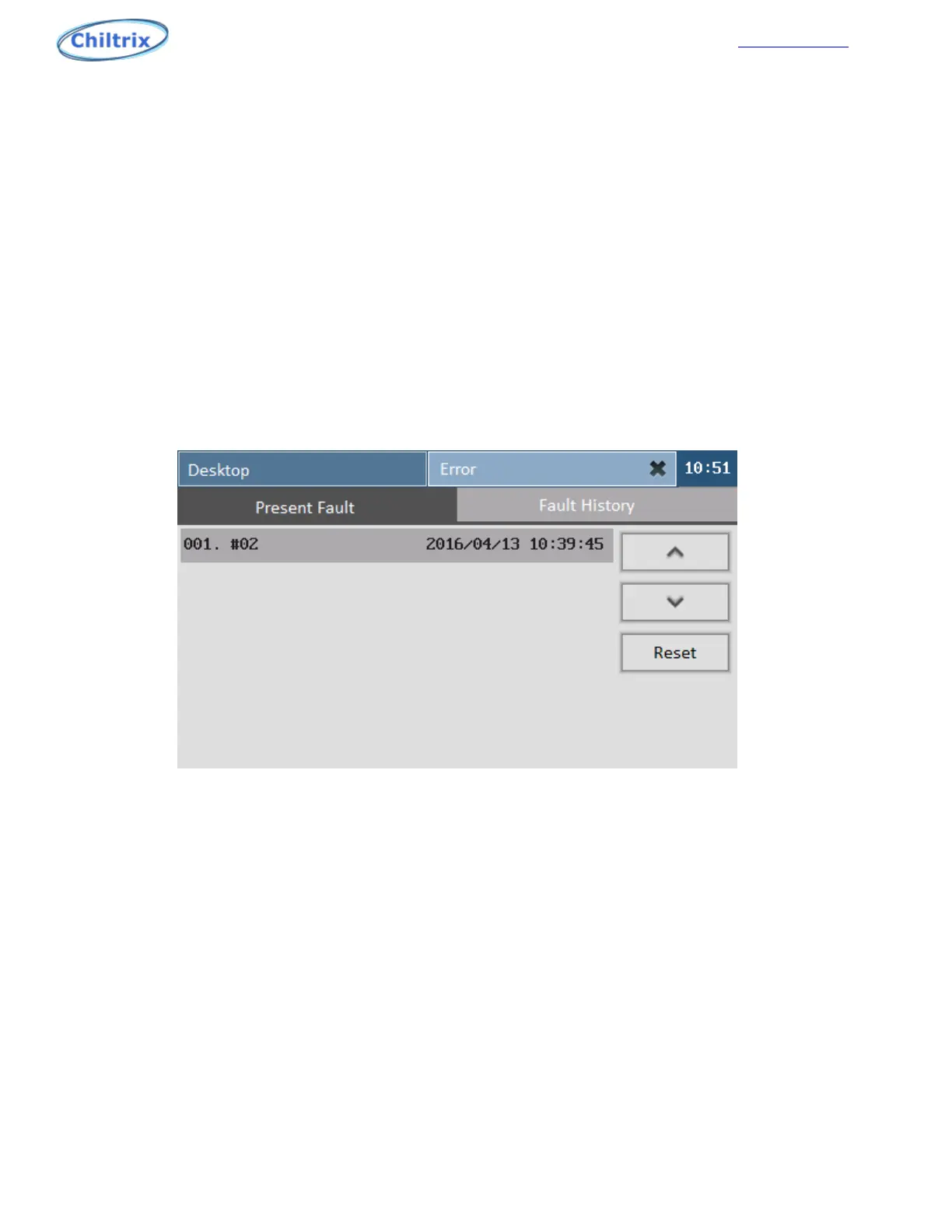
9.1 CURRENT FAULT
To enter the current fault display as shown in Figure 8-1, the left side shows the fault item, the format
is "fault number". On the right side of the three buttons are "on a page", "next" page, "reset", click the
reset button to reset the current fault.
Figure 9-1
9.2 FAULT HISTORY
Enter the history fault display as shown in Figure 9-2, the left side is the fault item, the right side has
the previous page, the next page and the query time of the fault history. The query time can be set by
clicking the year / month / day.
Error Codes / Faults
54


 To Next Page