Chiltrix Inc. www.chiltrix.com
Manufacturers Settings (Parameter Checking and Setting)
“P Parameters”
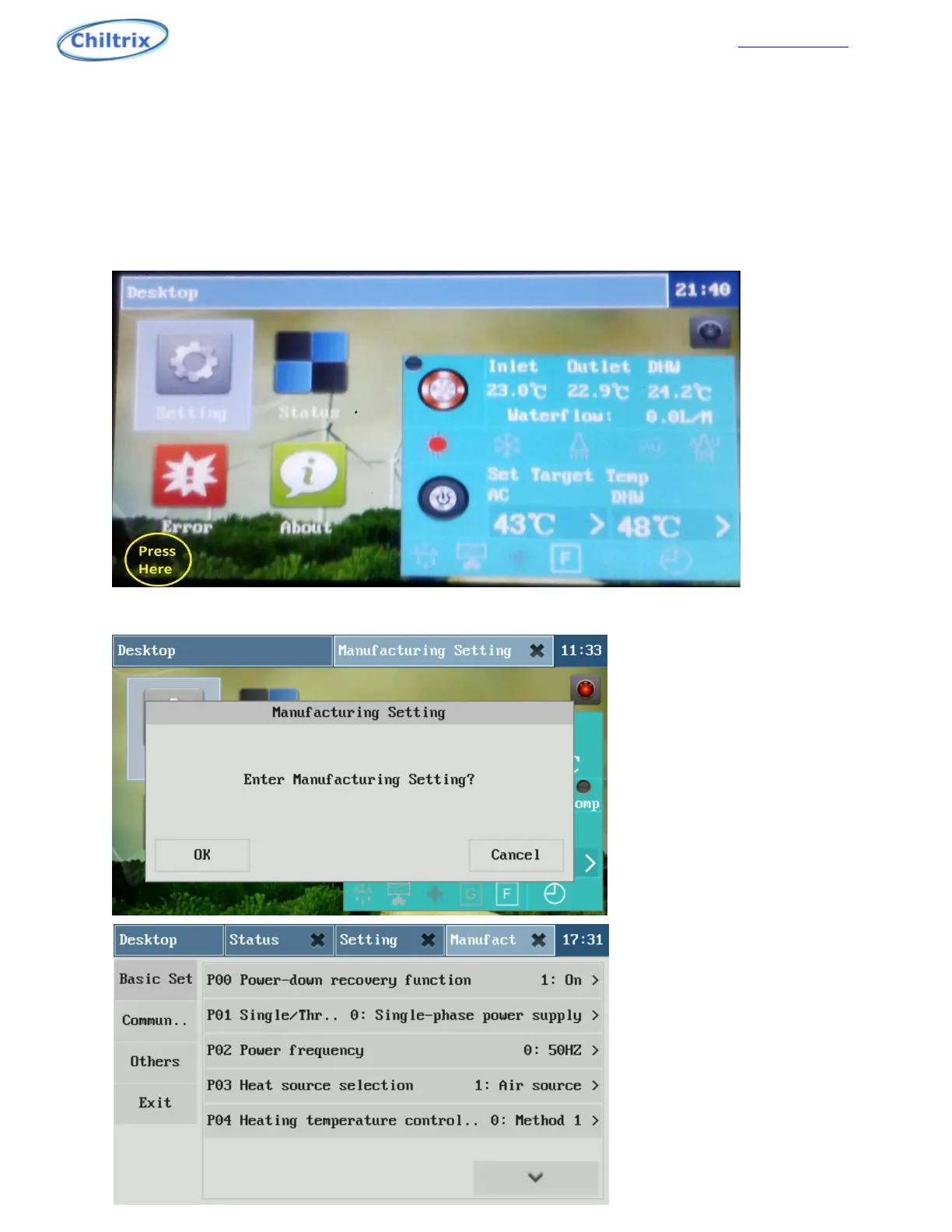
Touch and hold the lower left side of the main window for more than 3 seconds to enter the
factory setting confirmation window as shown in Figure 3-1, press "Confirm" Factory setting, or
press “Cancel” to exit.
“Press here” with finger turned sideways for 5 seconds.
45


 To Next Page