Pag. 40 a 47 28/02/2023 Nome file: DOC0103 A00
8.6 TURN OFF THE MACHINE
• To switch off the oven at the end of a normal work cycle, switch off the heating and wait for the temperature to drop to at
least 100 ° C. Finally, also deactivate the ventilation.
• Turn the main switch to Off to turn off the power.
• Always keep the machine turned off when not in use.
8.7 AUTOMATIC TURN OFF
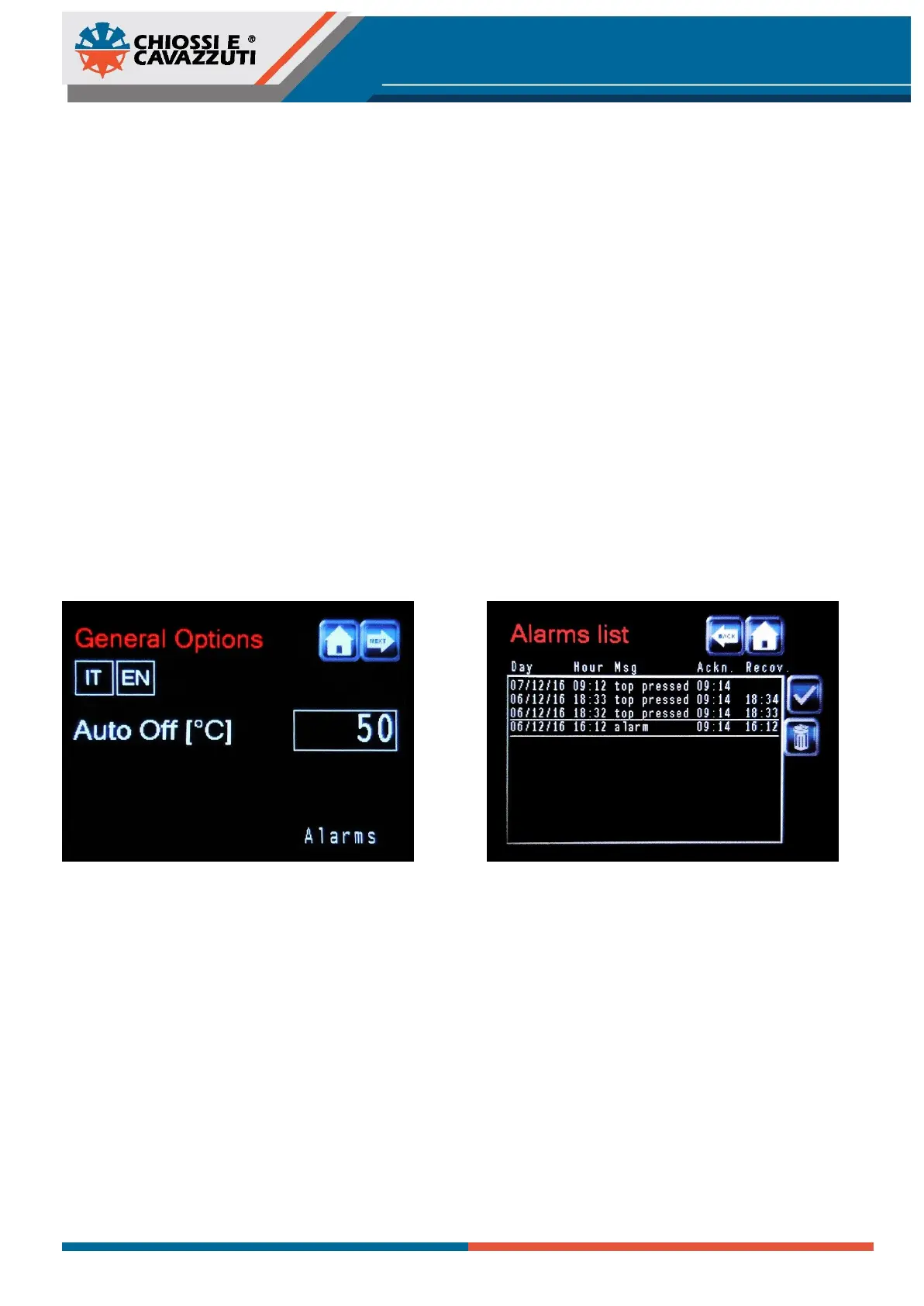
At the end of the working cycle the machine has an automatic turning Off feature when the “Auto Off” temperature is
reached (50°C by default). To change this parameter it is necessary to enter the “General Options” menu, pressing the
“Chiossi e Cavazzuti-shaped” icon.
Furthermore it is possible to change the language between Italian and English.
8.8 ALARMS LIST
When a malfuncion occurs, the dryer will automatically stop and the Red light and sound Alarm will trigger. To enter the
alarms list menu press the triangle-shaped yellow icon. When an alarm message is selected, it can be either read or
deleted pressing the corresponding icon on the right side. This list displays various data:
• Day / Hour - the date on which the alarm occurred
• Msg - a message that summarize the event
• Ackn. - the time (hour:min) when the alarm have been acknowledged
• Recov. - the time (hour:min) when the alarm has been recovered


 To Next Page