Pag. 38 a 47 28/02/2023 Nome file: DOC0103 A00
7. CONTROL PANEL
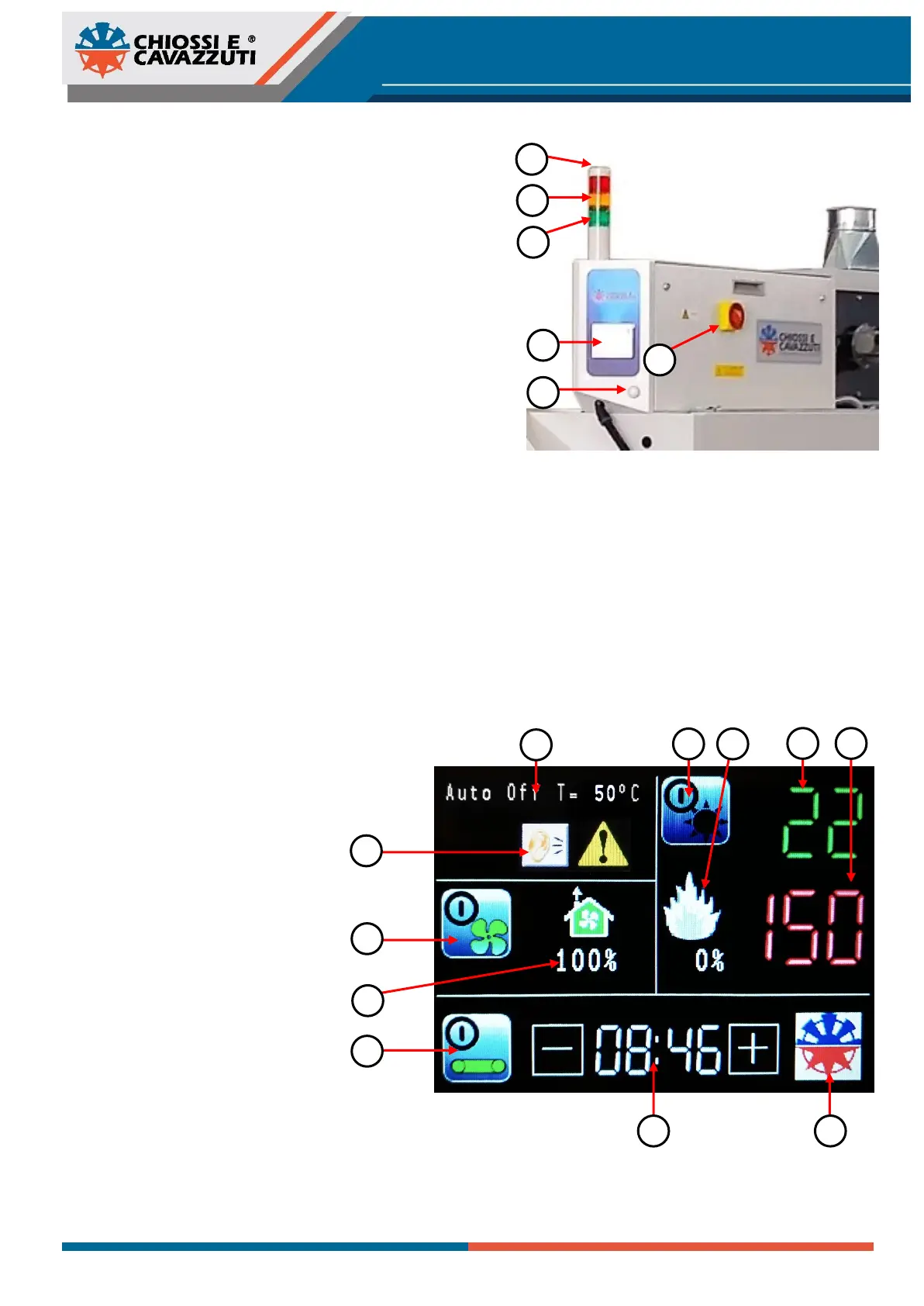
7.1 CONTROL PANEL AND
INDICATOR LIGHTS
a) Main switch
b) Motor protection trip indicator
c) Temperature out-of-range indicator
d) Heating on/off indicator
e) Display control panel
f) Voltage indicator
The indicator lights have different status:
GREEN light - After the machine have been turned On the
green light indicator will flash; during the heating phase it will
remain static.
YELLOW light - this indicator show that the temperature inside the tunnel has not reached yet the set-point.
RED light - followed by an acustic signal this indicator reports a failure in the motor fan system; the fan motor will not run
probably because the motor has overheated, possible causes are:
• Electrical failure (missing phase, wrong motor direction)
• Cooling failure, produced by dirt in the motor
• Defective or poorly installed motor
7.2 DISPLAY ELEMENTS
1) Chiossi e Cavazzuti logo (hidden
menu)
2) Alarm indicator
3) Ventilation On/Off icon
4) Exhaust fumes ventilation
5) Belt conveyor On/Off icon
6) Heating On/Off icon
7) Heating elements working
percentage
8) Time (min:sec) to travel inside the
tunnel
9) Temperature measured inside the
tunnel
10) Temperature set
11) Auto turning Off message


 To Next Page