Pag. 39 a 47 28/02/2023 Nome file: DOC0103 A00
8. START UP AND PLC ADJUSTMEN
Make sure the machine is properly connected to the electrical line.
8.1 TURN ON THE DRYER
Turn the main power switch ON.
The white voltage indicator will turn on, confirming the presence of voltage inside the electrical cabinet.
Within seconds follows the boot of the display.
8.2 FORCED HOT AIR VENTILATION
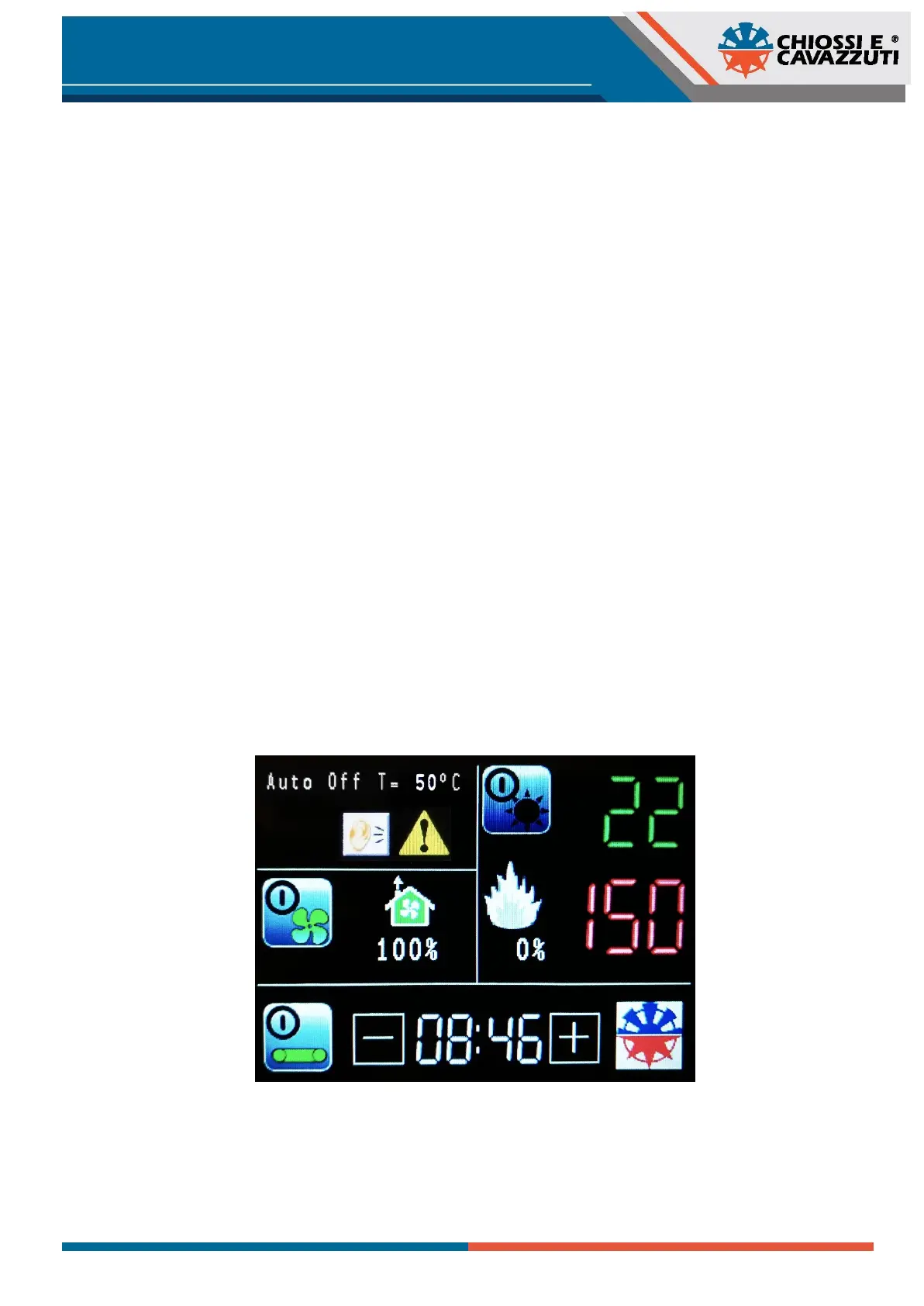
The dryer is on, but you must activate the ventilation before it can heat; if you press the “sun-shaped” icon without
ventilation active, it will not stay lit, indicating that it is not possible to heat the dryer.
The activation of the conveyor belt is independent and can be started or stopped at any time.
8.3 EXHAUST FUMES
The exhaust fumes extractor is always working as soon as the forced hot air ventilation is activated.
Press the “house” shaped icon to change the percentage of activation of the internal fumes ventilation. When it is 25%, it
will activate 1/4 of the time, when it is 100% the ventilation will stay always active.
8.4 SELECT THE TEMPERATURE
To change the temperature press the red number. The green number shows the actual temperature inside the dryer. The
“flame-shaped” icon lights when the heating elements are working and show the percentage of use. After an idle period
of time the display will enter in a "standby" mode and it will show the internal temperature in green and the time inside the
tunnel in min:sec.
8.5 SELECT THE TIME
Press the “ - “ and “ + “ icons to change the set-point (diplayed in blue min:sec) that control the time to travel in the tunnel.
The white time parameter (min:sec) is the current measured time in the tunnel.


 To Next Page