Chord Electronics
Hugo M Scaler | Manual
_
Whilst an IR remote control is
supplied, the front panel of the
Hugo M Scaler is the main user
interface and can entirely control
all user-configurable options and
inputs.
3.1 Getting to know Hugo M Scaler
& drivers
3.2 The front panel
3.3 The top panel
3.4 The rear panel
3.5 The remote control
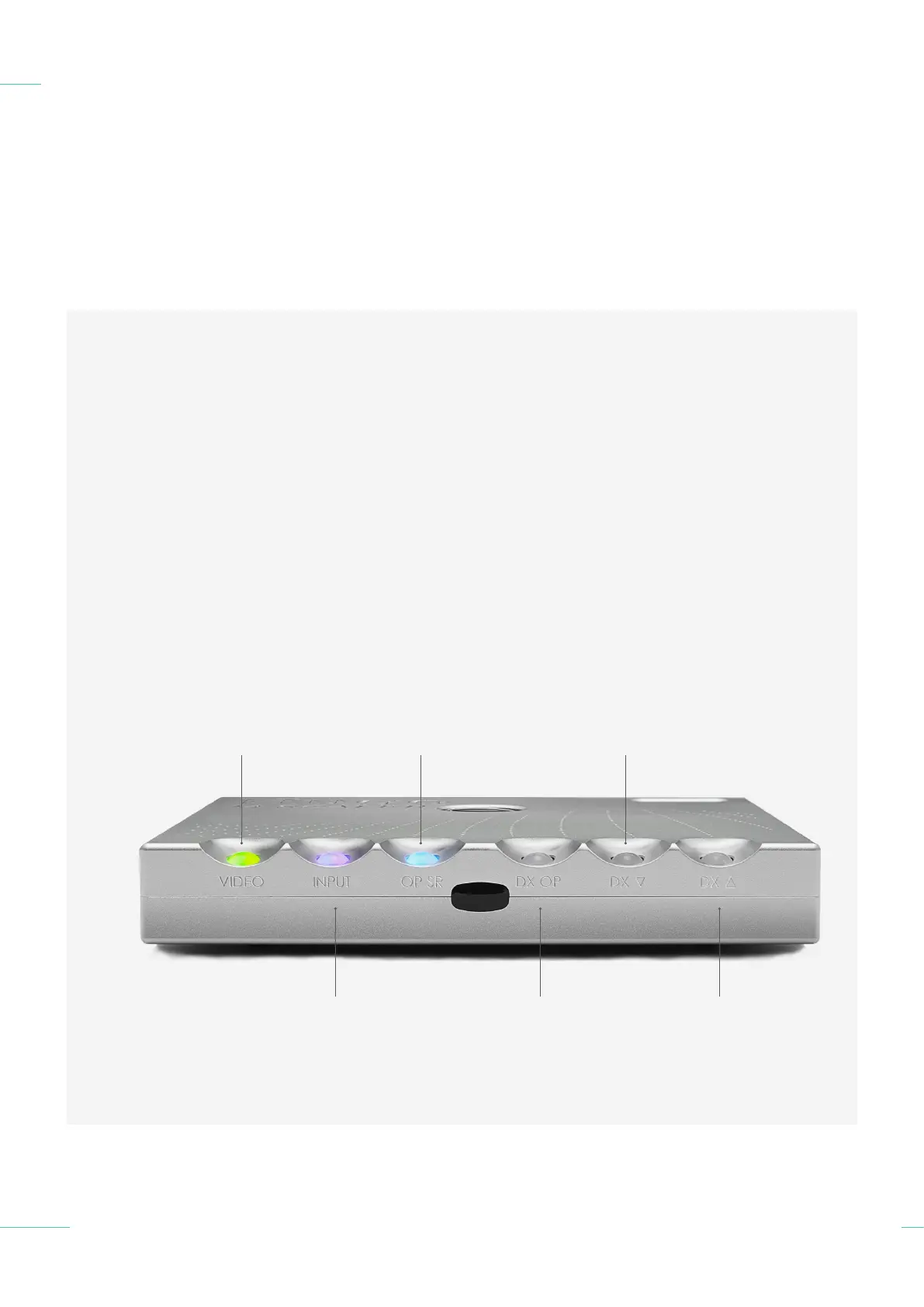
The front panel 3.2
14 // 30
The middle of the front panel
contains a black acrylic infrared
signal window. If you intend
to use the remote control
with the Hugo M Scaler it is
recommended that clear line of
sight is available between the
remote control device and the
signal window.
Refer to partnering
in product manual
Output sample rate -
Pass-through/Low/Medium/High
Video mode -
O/On/Automatic
Refer to partnering
in product manual
Refer to partnering
in product manual
Input - USB/BNC 1/BNC 2/
Optical 1/Optical 2/Automatic



 To Next Page
 Loading...