Chord Electronics
ULTIMA PRE | Manual
_
In order to connect up ULTIMA
PRE to a source, you must
connect your cables to one of the
inputs listed below. ULTIMA PRE
can have up to 8 inputs at once
so it gives you the flexability to
fully curate your system with
minial eort required.
First, you must ensure that
ULTIMA PRE, and any connecting
equipment, is turned o.
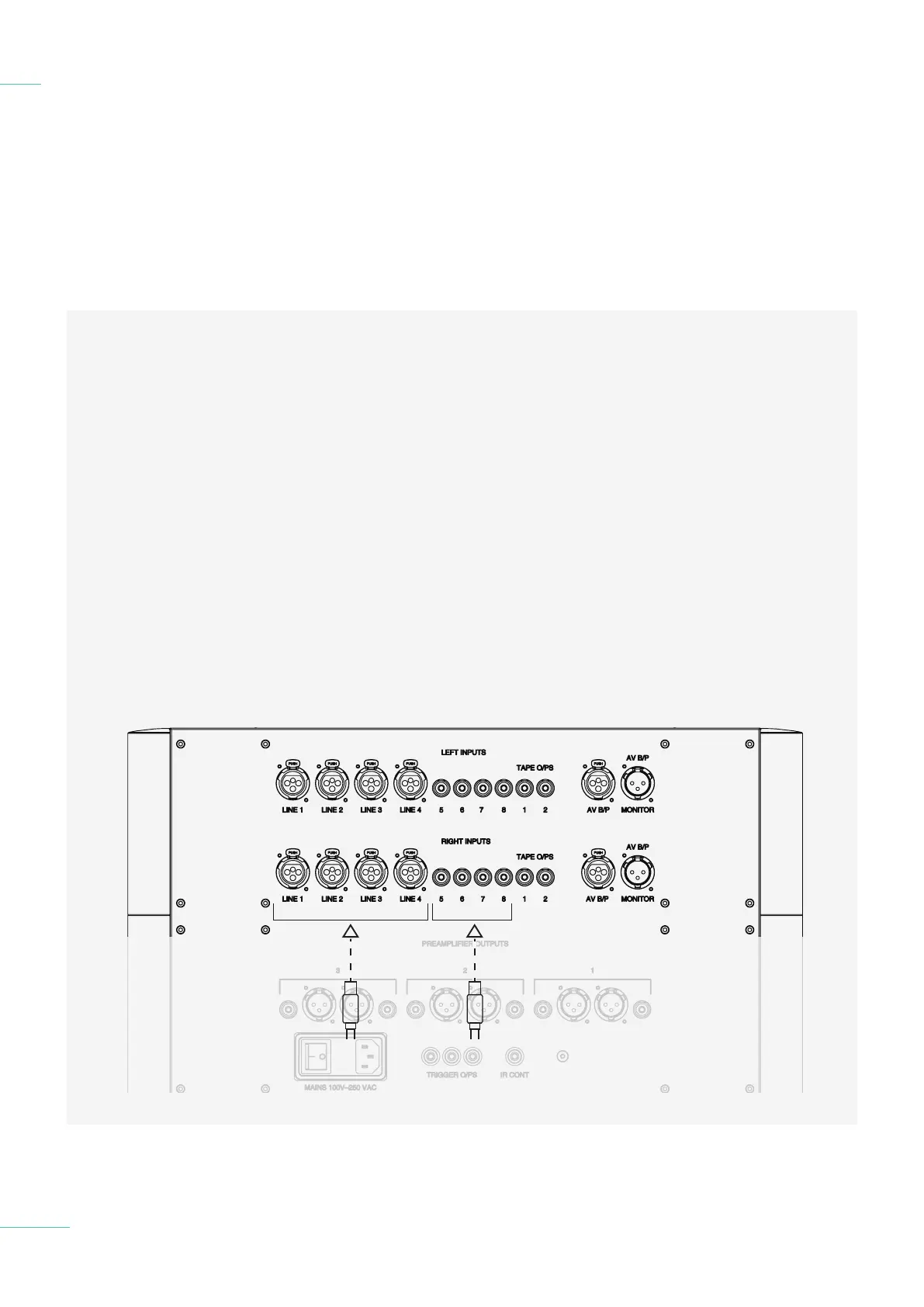
For a balanced input use the
4 XLR inputs listed below. For
unbalanced inputs use the other
4 inputs listed below.
4.1 Placement
4.2 Connecting an input to
ULTI MA PRE
4.3 Connecting ULTIMA PRE to a
power amplifier
4.4 Connecting ULTIMA PRE
to a recording device
4.5 Connecting ULTIMA PRE
to a AV device
4.6 Connecting ULTIMA PRE
to headphones
Connecting an input to
ULTIMA PRE
4.2
19 // 34
Balanced
input 1-4
Unbalanced
line 5-8
Please note that each input is
arranged as a stereo pair, right
and then left. Later, when you
come to switch ULTIMA PRE on,
each pair of inputs will be shown
as ‘LINE X’ on the display. LINE 1
begins the row of XLRs and LINE
5 begins the row of RCA.
It should be carefully noted that
the below XLR, RCA, and the
A/V connectors at the right most
T1 and T2 connectors are all
outputs. You must not connect
any inputs here.



 To Next Page