Chord Electronics
ULTIMA PRE | Manual
_
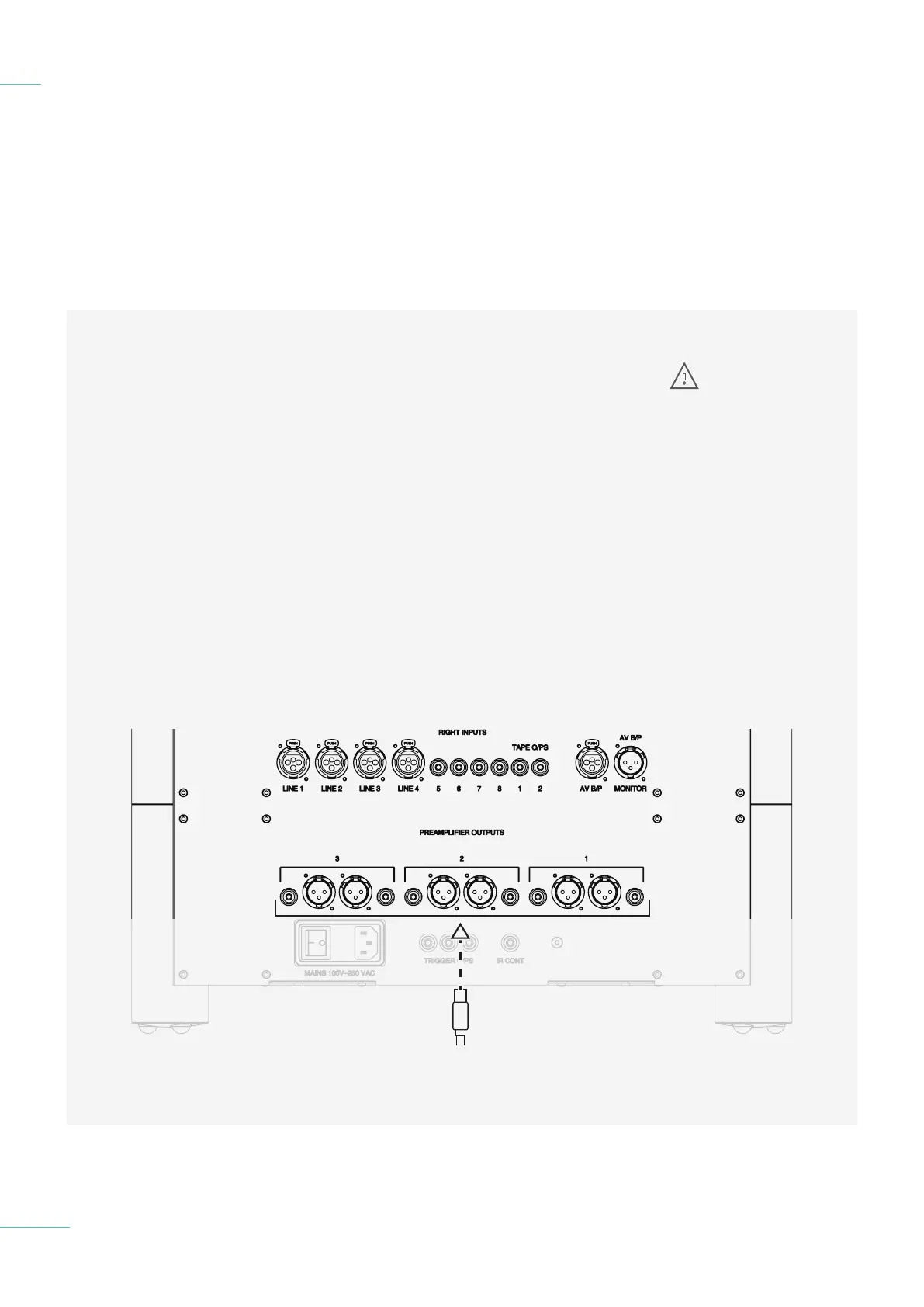
Using The XLR and RCA outputs
shown below, it is simple to
connect the ULTIMA PRE to a
power amplifer. Each output will
drive a 68 ohm load. Left channel
connections are on the left, right
channel connections are on the
right, each output is identical.:
1) Turn o the ULTIMA PRE
and any other connected
equipment.
2) Locate the XLR or RCA
outputs on the ULTIMA PRE
and connect to the XLR or
RCA input on the choosen
power amplifier.
4.1 Placement
4.2 Connecting an input to
ULTI MA PRE
4.3 Connecting ULTIMA PRE to a
power amplifier
4.4 Connecting ULTIMA PRE
to a recording device
4.5 Connecting ULTIMA PRE
to a AV device
4.6 Connecting ULTIMA PRE
to headphones
Connecting ULTIMA PRE
to a power amplifier
4.3
20 // 34
3) With the Volume set to
the lowest setting Turn on all
equipment, including the
ULTIMA PR E.
4) Allow both the ULTIMA PRE
and power amplifier to power
up.
5) Ensure the output mode is
set to Output 1. If it is
not check the cable is
corectly connected.
5) With the Volume a the lowest
setting initiate playback and
gradually increase the volume
to a comfortable setting
to protect your hearing and
speakers.
Live XLR
and RCA
Outputs
WARNING: Do not
use the recording
output to connect
the ULTIMA PRE to a power
amplifier as it is a line level
output and can not be
attenuated!



 To Next Page