Section 4: Maintenance
4-10 013-100199-04
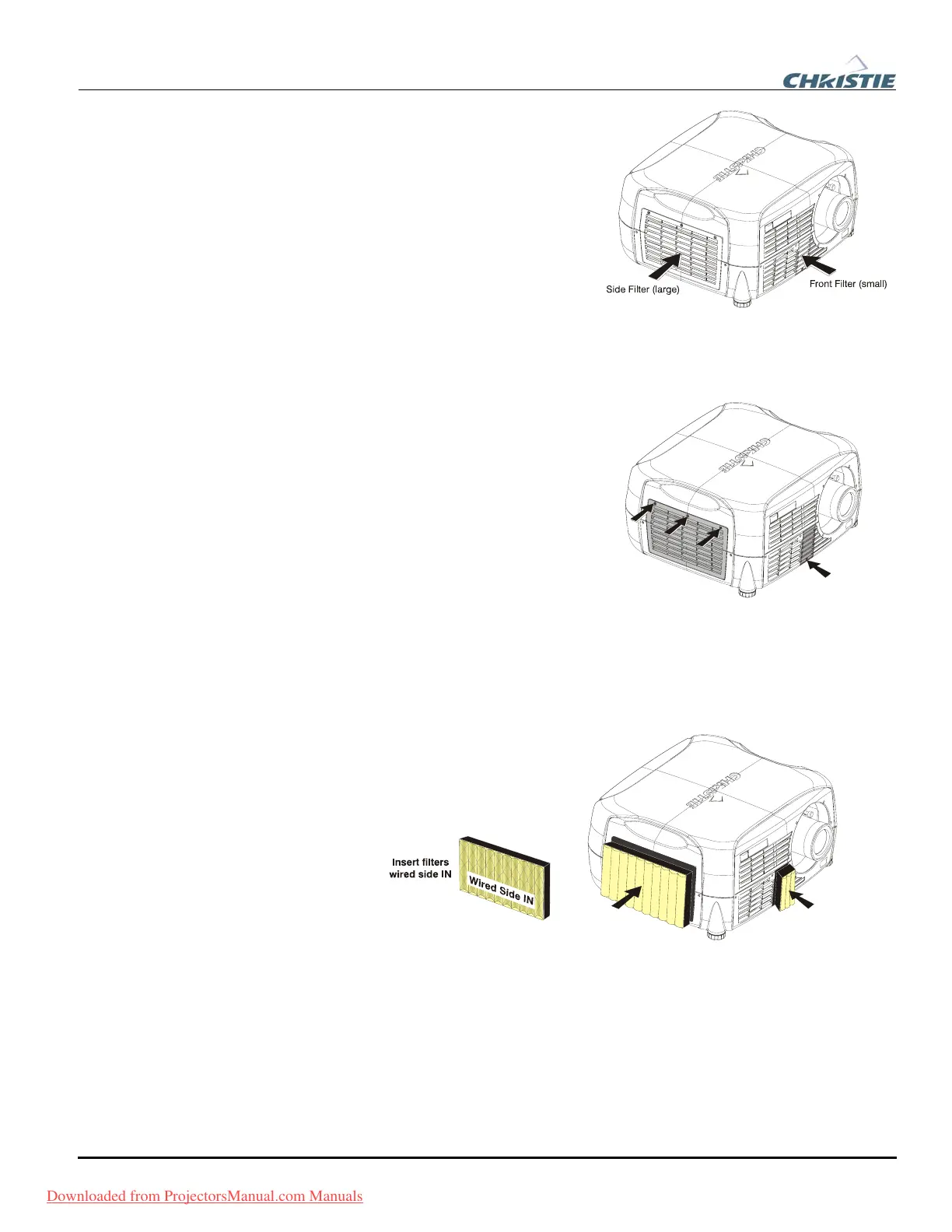
The two filters located at the front
and left side of the projector should
be replaced whenever the lamp is
replaced. If you are working in an
extremely dusty environment you
may want to replace the filters sooner.
Use the filters provided in the
Christie approved Lamp and Filter
Kit for your specific projector model.
1. TURN OFF THE PROJECTOR,
COOL and UNPLUG
Before removing or installing a filter, turn off the projector and allow it to cool for
five minutes before unplugging.
2. REMOVE FILTER ACCESS
PANELS
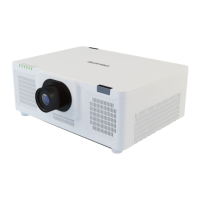
Loosen the captive screw(s) on the filter
access panels using a #2 Phillips
screwdriver. (Front access panel located
to the left of the lens – one screw. Left
side access panel – three screws. See
Figure 4.6.)
3. REPLACE FILTERS
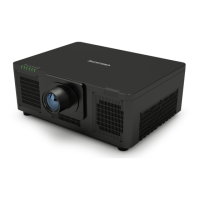
Pull the old filters out of the projector and discard. Do not reuse filters. Insert the
new filters with the wired side in. See Figure 4.7.
Figure 4.7. Insert New Filters
4. REPLACE ACCESS PANELS
Replace the two (2) filter access panels and tighten the screws loosened in step 1.
Filter Replacement f
Procedure
Figure 4.6. Remove Filter Access Panels
Downloaded from ProjectorsManual.com Manuals



 To Next Page