Section 3: Operation
3-36 013-100199-04
2. STILL: For static images with no motion, such as graphics from a CD.
3.
MOTION: For video images that did not originate from film, or for moving
computer-generated images.
4.
FILM: For video images that originated from film. This will optimize image quality
and stability.
FILM MODE THRESHOLD — This setting determines how sensitively the projector can
detect if an incoming video signal originated from film or not. It should not require
adjustment.
DETAIL THRESHOLD — Use “Detail Threshold” to define at what frequency level the
“Detail” control will begin to magnify high frequencies, which adds details back into
the image. Raise the threshold to ignore more of these high frequencies, and lower the
threshold to magnify more of these frequencies. A setting of “0”, for example, means
no noise will be ignored and all will be magnified. An ideal detail threshold is one in
which high frequencies that are causing objectionable noise are not magnified when
using “Detail”, but frequencies which can help sharpen an overly-soft image are
magnified.
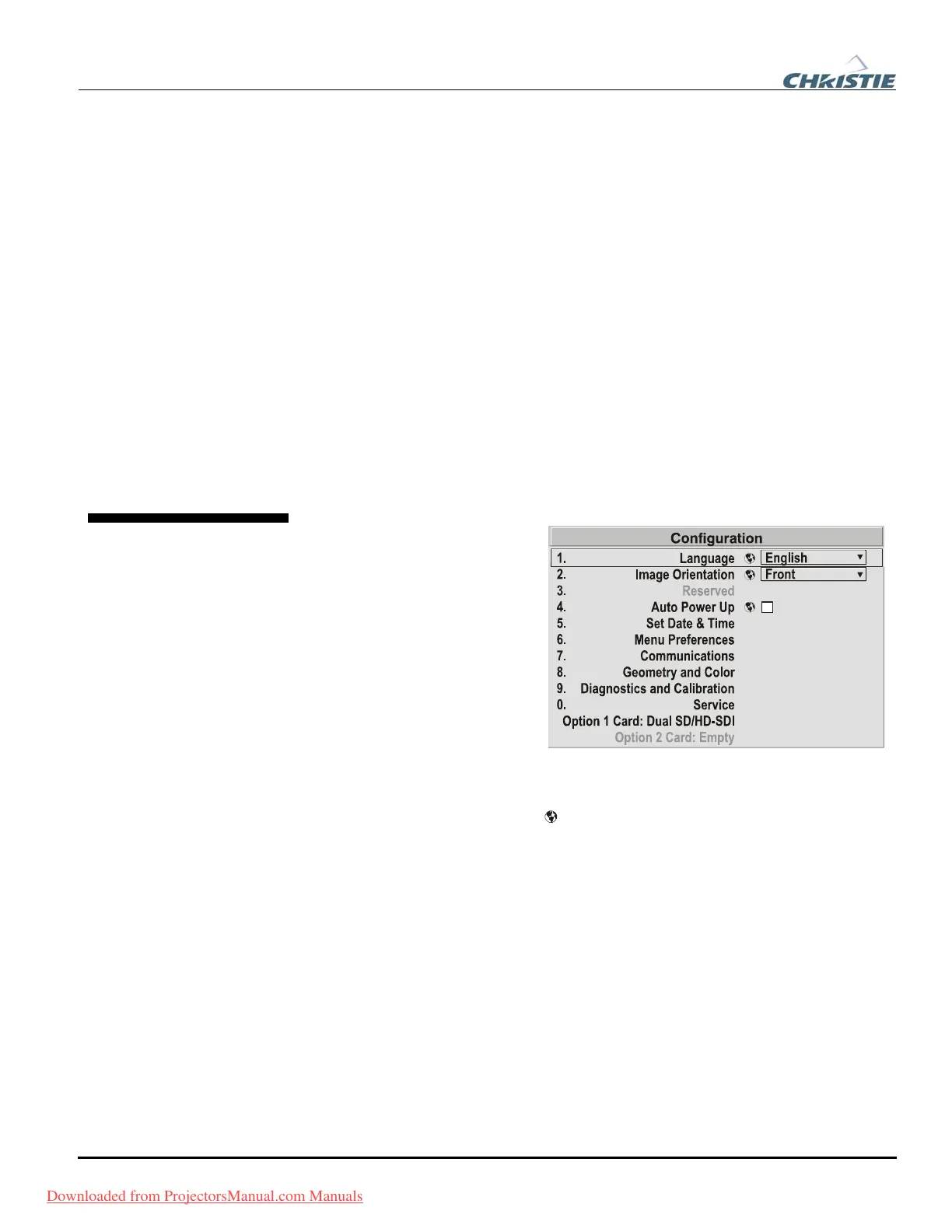
Use the Configuration menu to
define general operating
parameters and communications
with other projectors and
equipment, and to access other
advanced processing and image
adjustments affecting overall
performance. In addition, the
Configuration menu provides
access to diagnostics, calibration
tools and the Service submenu
(password-protected).
Keep in mind that settings in the Configuration menu (and its submenus) are typically
“global” settings applied regardless of the type of source being used. This
characteristic is identified with the
(globe) icon alongside the option.
NOTE: The Configuration menu is recommended for experienced users/technicians
only.
The first six options in the Configuration menu are explained below:
Language
Choose from available languages to use in the projector’s menus. The change will
take effect immediately.
Image Orientation
Set the orientation of the image according to the orientation of your projector. If the
setting is incorrect, projected images will be reversed and/or upside down.
Reserved
No function.
3.6 Adjusting
System
Parameters and
Advanced
Controls
System Configuration f
— GENERAL —
Downloaded from ProjectorsManual.com Manuals



 To Next Page