Section 4: Maintenance
013-100199-04 4-11.
A variety of lenses can accommodate different throw distances and specific types of
installations. Refer to Section 6 - Specifications for details. To change a lens, follow
the steps below. No tools are required for “compact” lenses shown.
Turn off the projector, cool and unplug
NOTE: If necessary, a lens can be swapped out while the projector is running, but
this can result in dust being drawn into the projector. Avoid if possible.
Before removing or installing any lens, turn off the projector and allow the fans to
cool the lamp before unplugging the projector. Ensure that the lens cap is on.
WARNING
Unplug the projector.
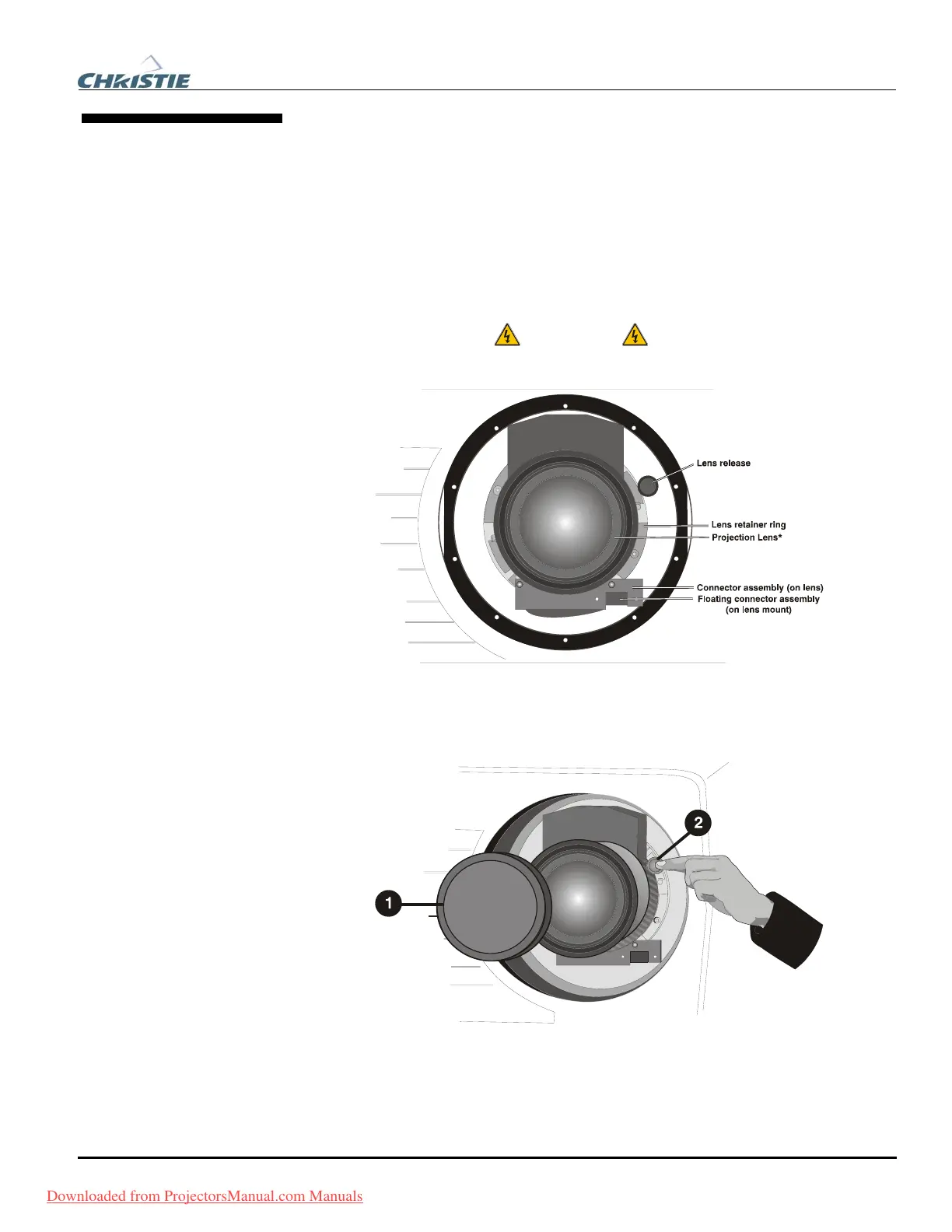
Figure 4.8. Lens Assembly
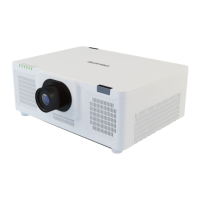
Install the lens cap and press the lens release button
See Figure 4.9.
Figure 4.9. Depressing Lens Release
4.5 Replacing the
Projection Lens
STEP 1 f
STEP 2 f
Downloaded from ProjectorsManual.com Manuals



 To Next Page