Section 3: Operation
013-100199-04 3-9.
The “Projector” checkbox (read-only) shows whether or not the projector physically
connected to a keypad is listening to commands from that keypad. A checkmark
means that connected projector is listening; if there is no checkmark, you are
communicating with a different projector.
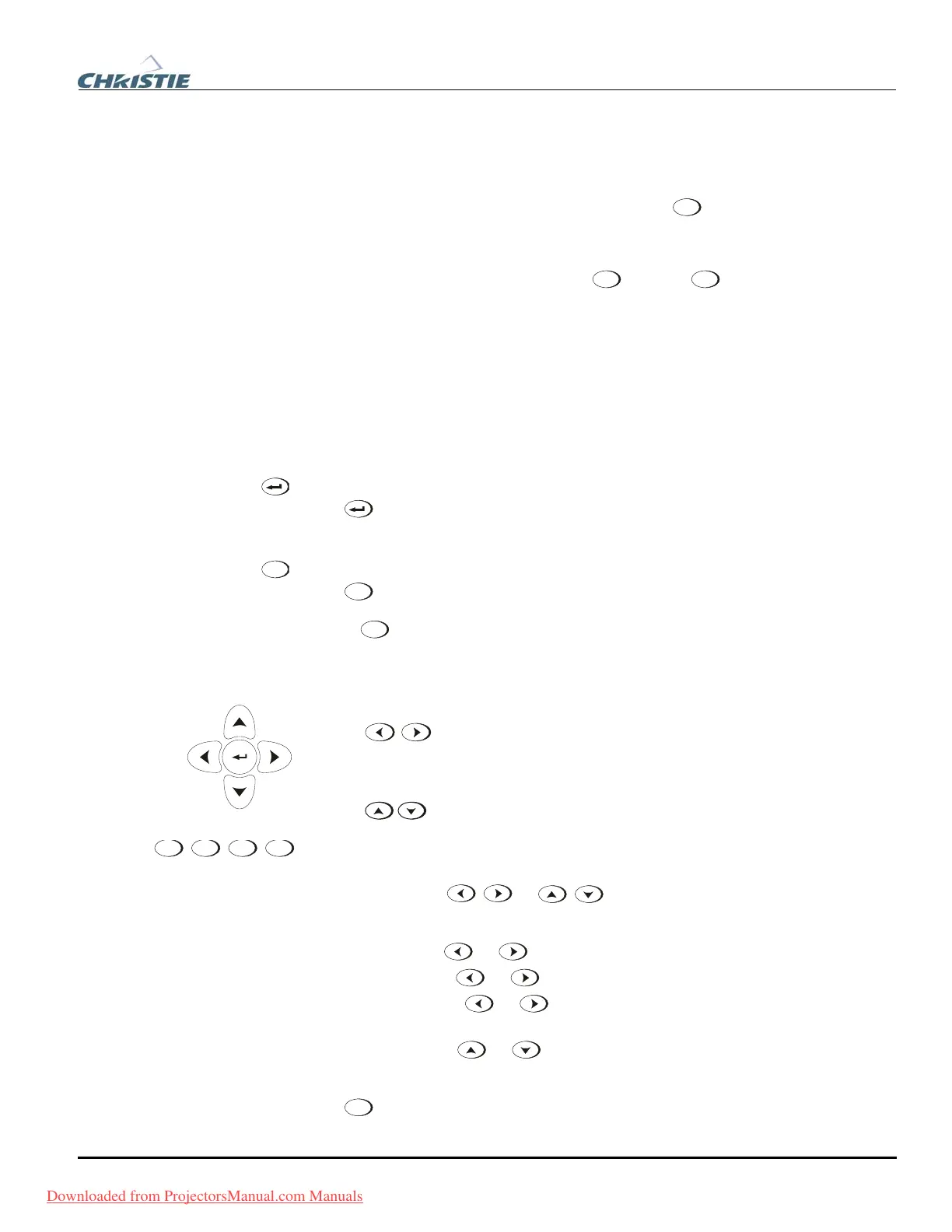
To control a specific projector with the keypad, press
Proj
and then enter the three-
digit number assigned to the projector you want to use. If you switch to a projector
other than the one you are currently using, the checkmark will disappear.
To broadcast to multiple projectors, press
Proj
and then
Proj
again without entering a
projector number. Keypad commands will then affect all projectors present. Note that
there is no method of controlling a group of projectors within the same wired
configuration using the wired keypad exclusively, since there is only one wired
protocol available.
NOTES: 1) The "Broadcast Keys" option in the Communications menu must be
selected for only one (any) projector in a serial network. The keypad in use must be
OFF (disabled) for the remaining projectors. 2) See 3.6, Adjusting System
Parameters and Advanced Controls.
Enter
Press
to select a highlighted item, to toggle a checkbox, or to accept a parameter
adjustment and return to the previous menu or image.
Exit
Press
Exit
to return to the previous level, such as the previous menu.
NOTE:
Exit
does not save changes within text editing boxes (including number
editing of a slide bar value) or within pull-down lists. It acts as a “cancel” in these
cases.
Arrow Keys
Use the
keys to change a slide bar value or to select a different option
within a pull-down list without having to first scroll through options. See also Editing
Text later in Section 3.
Use the keys to navigate within a menu, pull-down list or text box.
Lens Focus, Zoom and Lens H, Lens V
When adjusting the image for focus, zoom, horizontal and vertical positioning, use the
specific arrow keys (
/ or / ) related to each function. A small
window will appear to indicate the type of adjustment taking place. For example,
• Use the “Focus”
or keys to improve image clarity as desired.
• Use the “Zoom” ”
or keys to achieve a desired image size.
• Use the “Lens H” ”
or keys to position the image horizontally while still
keeping it rectangular.
• Use the “Lens V”
or keys to position the image vertically while still
keeping it rectangular.
Press
Exit
to return to presentation level.
Exit
Focus
Zoom
Lens H
Lens V
Downloaded from ProjectorsManual.com Manuals



 To Next Page