Section 3: Operation
3-54 013-100199-04
NOTES: 1) If you change modes over the life of a lamp, the lamp limit you originally
expected may no longer be possible. 2) Turning the lamp on and off reduces lamp life
significantly, as do other factors. 3) It is recommended that Lamp Limit not exceed the
expected lamp life, otherwise a lamp could become dangerously fragile with overuse.
Set which
LAMP MODE you want to use in order to control
the light output. You can choose to run the lamp as bright as
possible (i.e., always using maximum power—this is the
default upon power up) or you can power the lamp with a
specific wattage appropriate for the installed lamp or you can set a specific intensity
(brightness) to maintain. Although there are exceptions, generally higher light output
or higher power settings can shorten lamp life.
Use the lamp mode that best suits your brightness needs. For example, in a tiled
application you may want to precisely match brightness levels between adjacent
images—judge by eye and set each individual
Lamp Power setting as necessary. Or if
you want images to be as bright as possible—choose
Max Brightness. Always keep in
mind that higher lamp power settings can shorten lamp life.
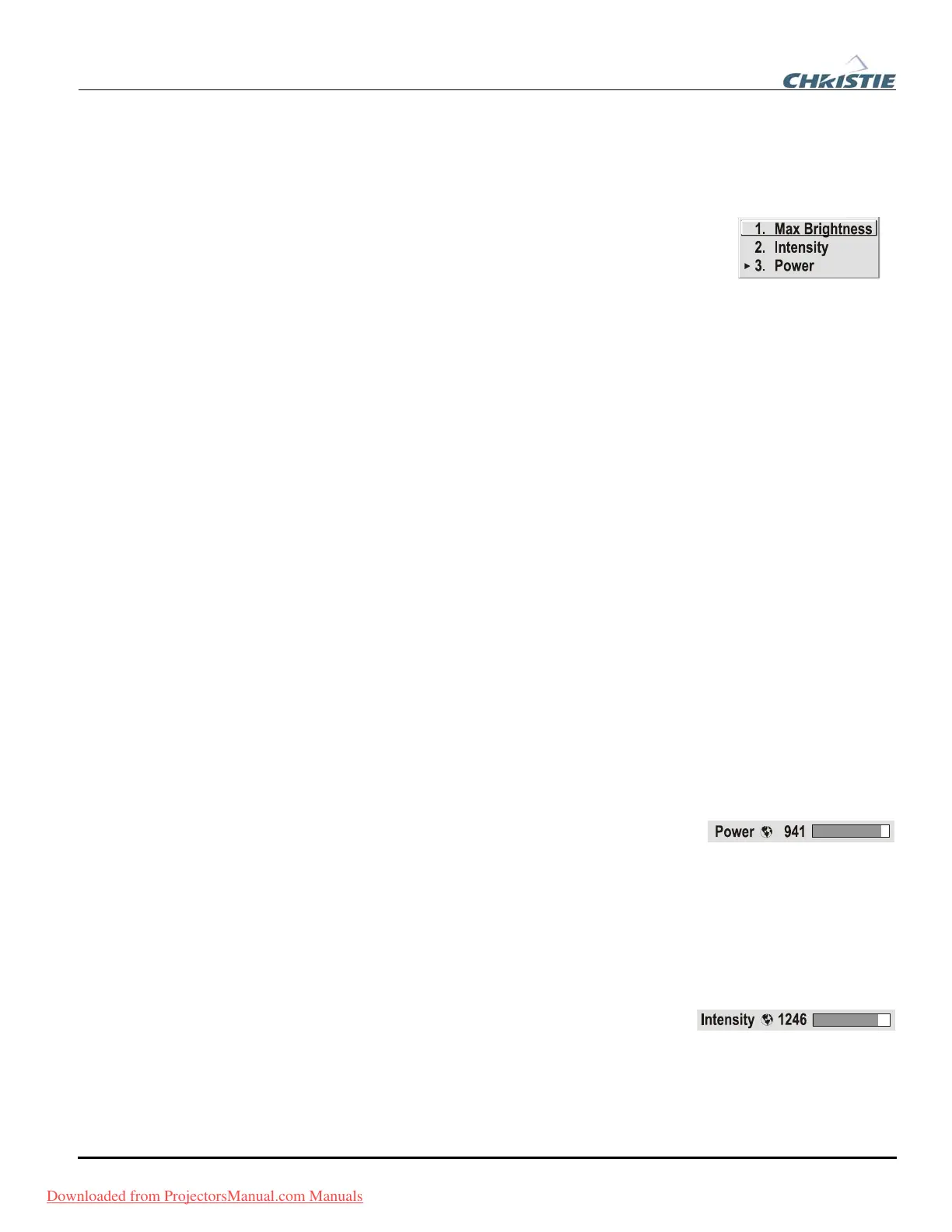
Lamp modes are described below:
•
Max Brightness: The lamp will always burn as brightly as possible, driven by
100% of the power level rating for the installed lamp (see Section 6,
Specifications). Keep in mind that the “maximum brightness” for any lamp
gradually diminishes with age—images will become dimmer over time. Its current
output level appears in the “
Intensity” option (not in lumens).
•
Intensity: Brightness will remain close to a specified level for as long as possible.
Once you select this option, enter a number representing the intensity level
(brightness) you wish to maintain—the projector will automatically adjust power
as needed to maintain this intensity as closely as possible. Note that the intensity
value is a correlation only and does not represent an actual lumens level. See
“
Intensity” below.
•
Power: The power supplied to the lamp will remain at your specified wattage
level. Once you select this option, enter the number of watts representing the
power level you wish to maintain. See “
Power” below.
POWER - This slide bar and number indicates how many
watts are applied to the lamp. You can apply anywhere
from approximately 60-65% of the maximum power intended for the installed lamp
up to 100% of the lamp rating. Set for the number of watts as desired, keeping in mind
that lower power levels produce dimmer images. When in either
Power or Max
Brightness
modes, the power level remains constant. Specifying a maximum power
level here is the same as operating in
Max Brightness mode.
NOTES: Power level can be set only if the lamp is in P
ower mode.
INTENSITY – This value and slide bar represents the
current brightness of your lamp, decreasing over time
when you are operating in
Max Brightness mode or at a specific Power level. When
you are operating in “
Intensity” mode this value remains at the original “Intensity”
setting chosen and cannot be adjusted.
Downloaded from ProjectorsManual.com Manuals



 To Next Page