Android Devices
1. Push the Menu button on the mobile phone.
2. Select Settings.
3. Select Connections.
4. Turn “Show Notifications” to On.
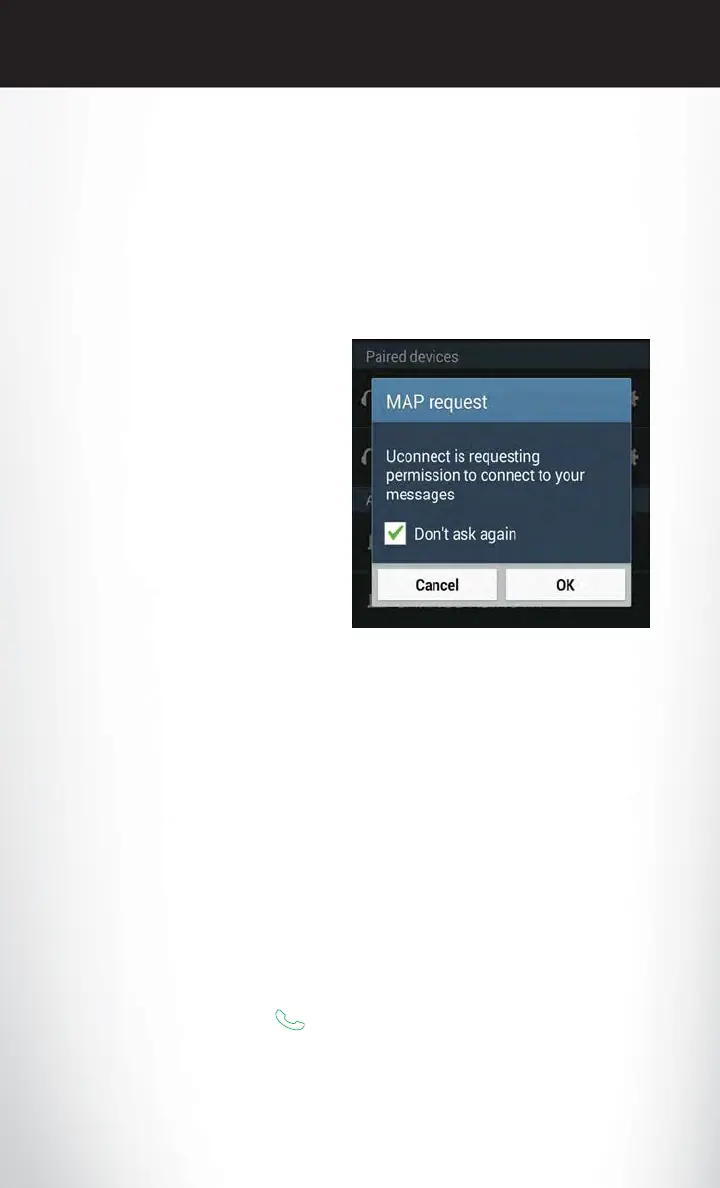
• A pop up will appear asking you to accept a request for permission to connect to your
messages. Select “Don’t ask again” and press OK.
NOTE:
All incoming text messages received during the
current ignition cycle will be deleted from the
Uconnect system when the ignition is turned to
the Off position.
Voice Text Reply (Not Compatible With iPhone)
NOTE:
Voice texting reply and voice texting features require a compatible mobile device enabled with
Bluetooth Message Access Profile (MAP). iPhone, and some other smartphones, may not
entirely support Bluetooth MAP. Visit UconnectPhone.com for the latest system and device
compatibility.
•
Due to the extremely large number of mobile phone manufacturers, your mobile device may not
be listed. For further assistance, contact Uconnect Customer Care @ 1-877-855-8400 for U.S.
residents or, 1-800-465-2001 (English) / 1-800-387-9983 (French) for Canadian residents.
Once your Uconnect system is paired with a compatible mobile device, the system can announce a
new incoming text message, and read it to your over the vehicle audio system. You can reply to the
message using Voice Recognition by selecting, or saying, one of the 18 pre-defined messages.
Here’s How:
1. Push the Uconnect Phone button
and wait for the beep, then say “reply.” Uconnect will
give the following prompt: “Please say the message you would like to send.”
2. Wait for the beep and say one of the pre-defined messages. (If you are not sure, you can say
“help”). Uconnect will then read the pre-defined messages allowed.
Enable Android Device Incoming
Text Messages
ELECTRONICS
146















 To Next Page