CIARA Astro SN-6310
- 21 -
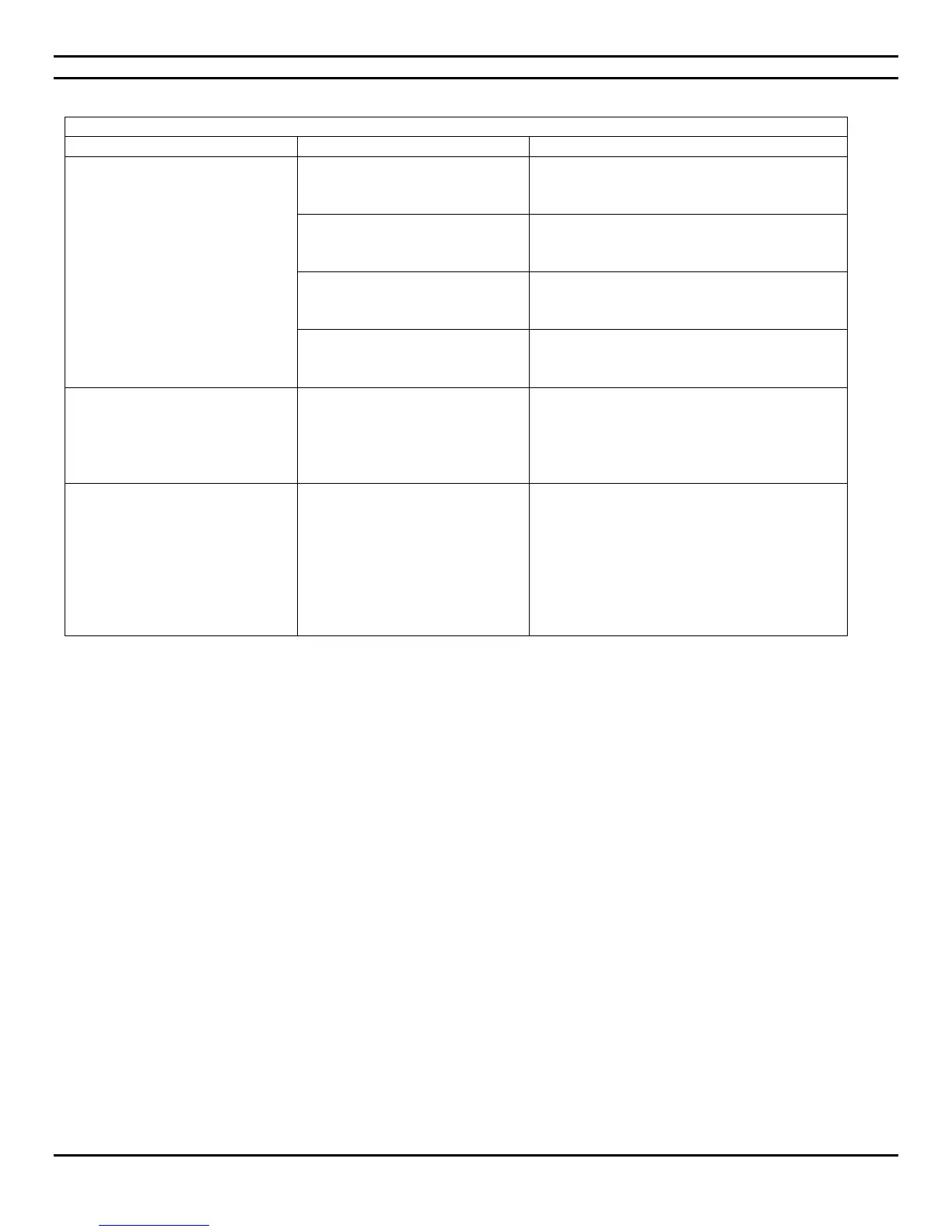
1.5.7 Solving hardware installation problems
Solving hardware installation problems
A new device is not recognized as
part of the system.
Device is not seated or connected
properly.
Ensure that the device is properly and securely
connected and that pins in the connector are
not bent down.
Cable(s) of new external device
are loose or power cables are
unplugged.
Ensure that all cables are properly and securely
connected and that pins in the cable or
connector are not bent down.
Power switch of new external
device is not turned on.
Turn off the micro PC, turn on the external
device and then turn on the micro PC to
integrate the device with the micro PC system.
When the system advised you of
changes to the configuration, you
did not accept them.
Reboot the micro PC and follow the
instructions for accepting the changes.
Wrong memory modules were
used in the upgrade or memory
modules were installed in the
wrong location.
See Sections 1.6.4 and 4.23 of the present
Guide to verify if you have installed memory
modules compatible to your system and if they
were installed correctly.
If the problem persists, Contact CIARA.
Power LED flashes five times,
once every second, followed by a
two second pause, and the micro
PC beeps five times.
Memory is installed incorrectly or
is bad.
1. Reseat DIMMs. Power on the system.
2. Replace DIMMs one at a time to isolate
the faulty module.
3. If a faulty module is found, Contact CIARA
for the replacement of the module.
4. 4. If the problem persists, Contact CIARA
for this may necessitate the replacement
of the motherboard.


 To Next Page