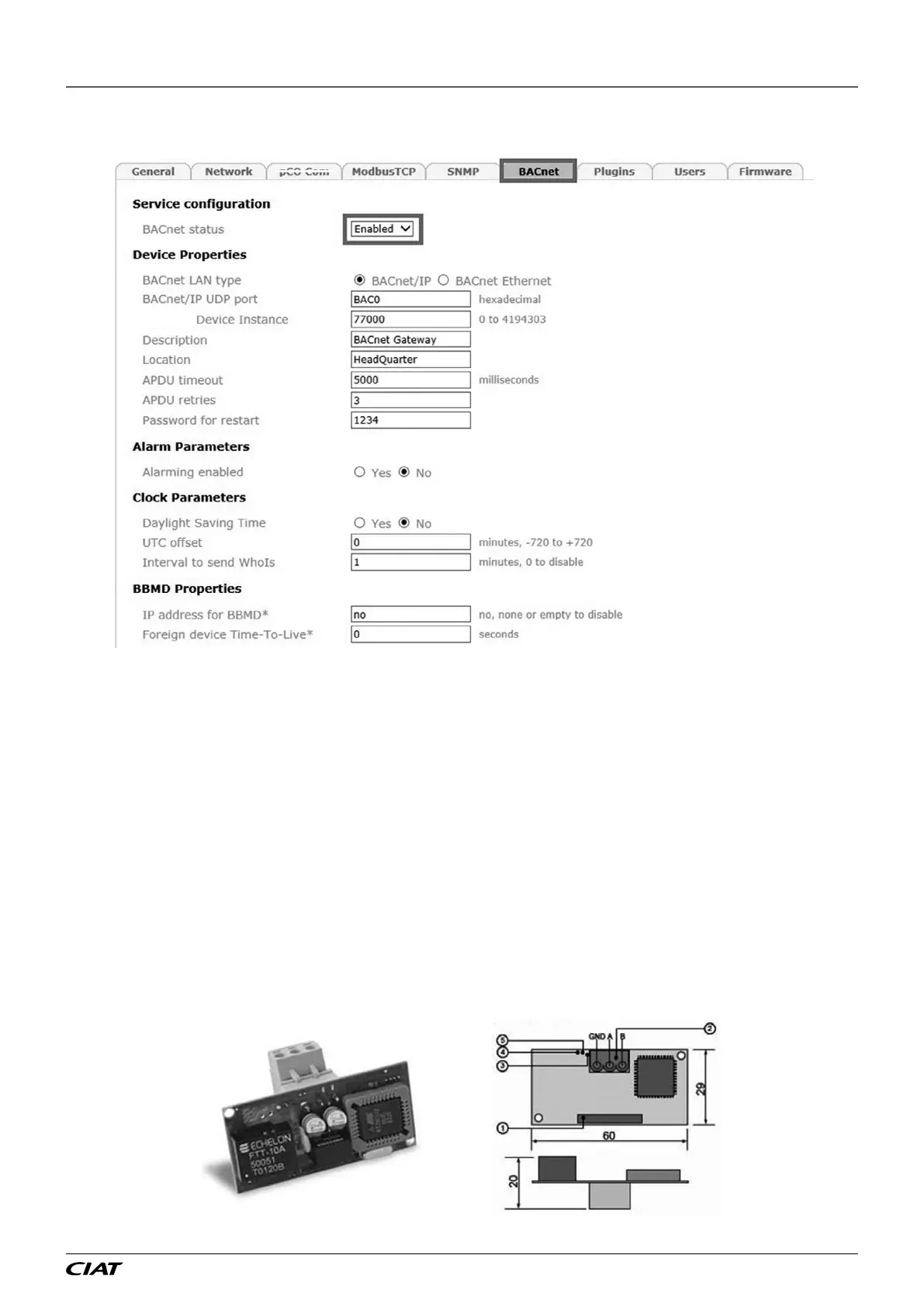
Next, in the BACnet tab (if communication is via BACnet), check that this is activated and set the parameters as required.
You also need to activate the mapping for Bacnet on the rst 2048 "digital" and "analog" variables (Conguration -> BACnet)
Once complete, conrm the page, disconnect your PC, restart the PLC and connect it to the network.
For use with Modbus TCP/IP, congure P700 = Modbus TCP. For use with BACnet IP, congure P700 = BACNET IP.
The PLC only manages Bacnet variables in Binary format (address type DXXX) and Analogue format (address type AXXX).
6.3 - LON
Use of LON requires a board (type FTT-10A), supplied pre-loaded by the manufacturer.
The board is factory tted. If this is not the case, switch o the controller and insert the board in J13 (entitled BMS card or BMS1)
on the controller.
It may be recharged on-site using the "nxe" le available on request.
1. Connector for the controller
2. Disconnectable terminal for connection of the LonWorks® network (GND, A, B)
3. Service pin (create a temporary shunt between the two terminals to create a service PIN, disconnect this shunt after completing
the operation)
4. Green service LED: state of the node, lit during the pin service, ashing when the board receives a command from the network,
if permanently lit = board faulty
5. Red fault LED: signals an installation issue (incorrect connection to the PLC) or communication conguration issue (check
parameter P700)
Dimensions (mm)
6 - CONNECTION TO A CMS
EN-39 FLOWAY ACCESS



 To Next Page