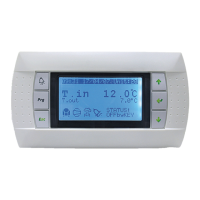
● Universal inputs
The V3000 controller is equipped with 2 congurable potential free inputs. These 2 inputs D1-C and D2-C are delivered from the
factory with a bridge. If you want to connect contacts to the inputs (frame contact for example), the bridges must be removed.
- Universal input D1
This input can be congured using parameters P49 and P51
- P49: Action direction of contact, NO or NC
- P51: Enables you to slave controller operation to contact opening or closure, with the possible set-up below:
- 0: Inactive
- 1: Window contact comfort → Frost protection (local override impossible)
- 2: Presence contact comfort → Eco (local override impossible)
- 3: Presence contact comfort → Standby (local override impossible)
- 4: Condensate pump alarm: fan coil unit switched off and cold valve closed
- 5: Fan unit motor alarm: Complete fan coil unit shutdown
- 6: General alarm: Complete fan coil unit shutdown
- 7: Air quality information: enables you to send via the bus a "low air quality" signal to the room. An On-Off controller output
may be synchronised with this information.
- 8: Clock for switching Comfort → Eco (local override authorised)
- 9: Clock for switching Comfort → Standby (local override authorised)
- Universal input D2
This input can be congured using parameters P50 and P52
- P50: Action direction of contact, NO or NC
- P52: Enables you to slave controller operation to contact opening or closure, with the possible set-up below
- 0: Inactive
- 1: Window contact comfort → Frost protection (local override impossible)
- 2: Presence contact comfort → Eco (local override impossible)
- 3: Presence contact comfort → Standby (local override impossible)
- 4: Condensate pump alarm: fan coil unit switched off and cold valve closed
- 5: Fan unit motor alarm: Complete fan coil unit shutdown
- 6: General alarm: Complete fan coil unit shutdown
- 7: Clock for switching Comfort → Eco (local override authorised)
- 8: Clock for switching Comfort → Standby (local override authorised)
- 9: Air quality information: enables you to send via the bus a "low air quality" signal to the room. An On-Off controller output
may be synchronised with this information.
- 10: Frost protection for "Fresh air": fan coil unit switched off, with hot valve 100 % opened
Note regarding D1 and D2:
- Make sure that the settings of inputs D1 and D2 are always different (to avoid any risk of conict between identical values on
two different inputs).
Parameters P51 or P52
Frame contact to be wired to input D1-C or D2-C, according to your device's conguration (refer to the corresponding wiring
diagram).
C
D1
Regulator
Window
contact
The cable used has a maximum length of 10 m, and minimum section of 0.9 mm². It is recommended to use a twisted and shielded
cable.
Note: the window contact must be insulated from earth. If there is shielding present, it must be connected to the fan coil unit earth
- Direction of window contact
- If the window is open and the controller has a display terminal, this will display "_ _ _" instead of the temperature.
N.B: - When the window re-closes, the unit restarts automatically
- The terminal display will return to "normal" after 10 seconds, the synchronisation time between it and the controller
10 - CONNECTING THE FRAME CONTACT
EN7515935-00 EN - 12



 To Next Page