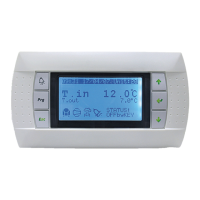
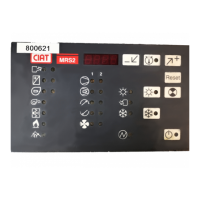
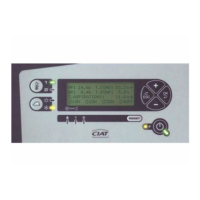
To modify the installation parameters, a display terminal is essential (wall-mounted display terminal, ush-mounted display terminal
or radio remote control terminal).
To enter set-up mode, you need to simultaneously press the standby
, ventilation and buttons for 5 seconds, then press
the
button twice, and finally the standby button for 5 seconds.
The parameter is selected by pressing the
and . buttons. To consult a parameter value, you need to press the standby
button
. To validate a parameter modification, press the standby button. To exit set-up mode, press the ventilation button .
If a set-up has been changed and you go back to normal operating mode, the terminal display switches off briefly and then
displays its version number (e.g. 101) for around 5 seconds, while it reconfigures the controller before going back to the normal
display.
Parameter Name Explanation Setting range Default value
P00
Master/Slave/Stand-alone
The controller must be informed whether it is a master or a slave,
or whether it is stand-alone.
0 = individual
1 = Master
2 = Slave by hot/cold authorisation
3 = Slave by indoor temperature
4 = Slave by actuator position
0…4 0
P01 Zone number
Zone number used for configuring a KNX installation in Push
Button mode.
0…16 0
P02 Heating comfort setpoint Setpoint for heating control in comfort mode
5…40
increments of 0.5
19.0
P03 Cooling comfort setpoint Setpoint for cooling control in comfort mode
5…40
increments of 0.5
26.0
P04 Heating Standby setpoint Setpoint for heating control in Standby mode
5…40
increments of 0.5
17.0
P05
Consigne Stand By
refroidissement
Setpoint for heating control in Standby mode
5…40
increments of 0.5
28.0
P06 Heating economy setpoint Setpoint for heating control in economy mode
5…40
increments of 0.5
14.0
P07 Cooling economy setpoint Setpoint for cooling control in economy mode
5…40
increments of 0.5
32.0
P09 Supply air low limit Setpoint below which blown air temperature limiting is activated 5…35 resolution of 0.5 16.0
P10 Supply air upper limit Setpoint above which blown air temperature limiting is activated 20…70 resolution of 0.5 40.0
P11 Comfort setpoint setting range
Sets the maximum +/- offset from the setpoint for indoor
environment devices
0.0…9.5 resolution
of 0.5
4.5
P12 Air quality setpoint
If an air quality sensor is present on KONNEX bus, air quality
setpoint expressed in ppm, with fixed hysteresis of 200 ppm:
0 = Function inactive
0.1…5.0 = Setpoint in thousand ppm
0…5.0
increments of 0.1
1.0
P13 Comfort operating option
0 = Inactive
1 = Dehumidification function
0:1 0
P14
Dehumidification setpoint
(if option = dehumidification)
If a humidity sensor is present on KONNEX bus, the
dehumidification function remains active as long as the humidity
value is above the setpoint:
0 = Inactive
1… 100 = Setpoint
0…100 100
4 - INSTALLATION PARAMETERS
EN7515935-00 EN - 4



 To Next Page