56
OPERATING TEMPERATURE CONTROL MODULE
The CI-510CS Temperature Control Module is to be used with an Open System leaf chamber.
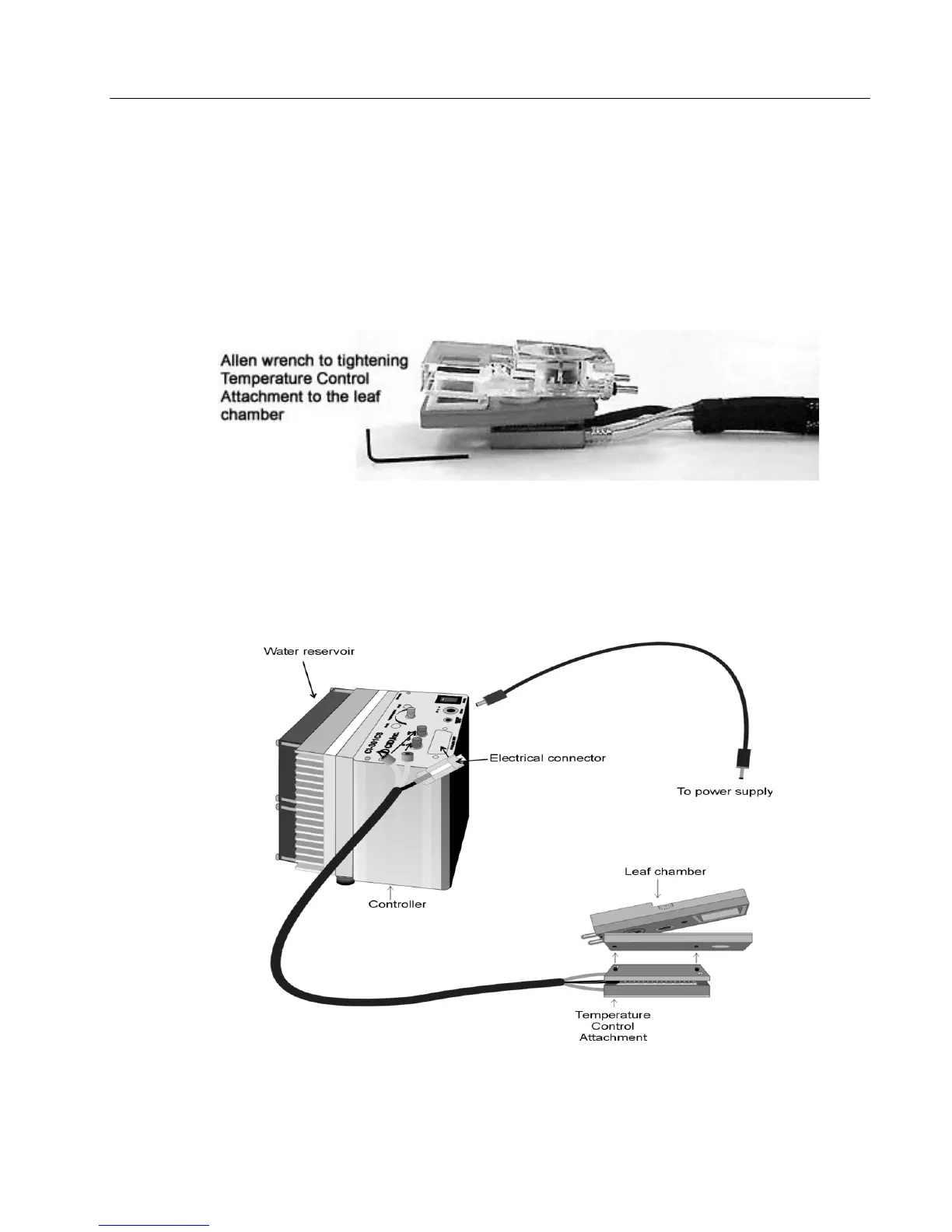
Before connecting the Temperature Control Attachment to your chamber, moisten the two
surfaces (improving thermal contact), which will be touching. You may do this by applying a
few drops of water to each surface. Align the two small screws on the Temperature Control
Attachment with the threaded holes on the chamber bottom and tighten, using the Allen wrench
provided. (see Figure A-7). The Infrared Leaf Temperature sensor should be inserted into the
respective hole on the chamber bottom.
Figure A-7. Illustration of Leaf Chamber, Allen wrench and Temperature Control Attachment.
A 12V battery supply outlet is provided for the CI-510CS. Remove all moisture on the Controller
panel. Plug the power connector to the jack marked 12V DC on the panel (Figure A-7).
WARNING: Only the provided power source can be used for the CI-510CS. Using other power
sources or power adapters may damage the CI-340 and the module. This will void the warranty.



 To Next Page