EasyManua.ls Logo

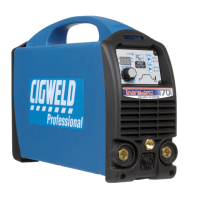
CIGWELD TRANSarc 170i - User Manual

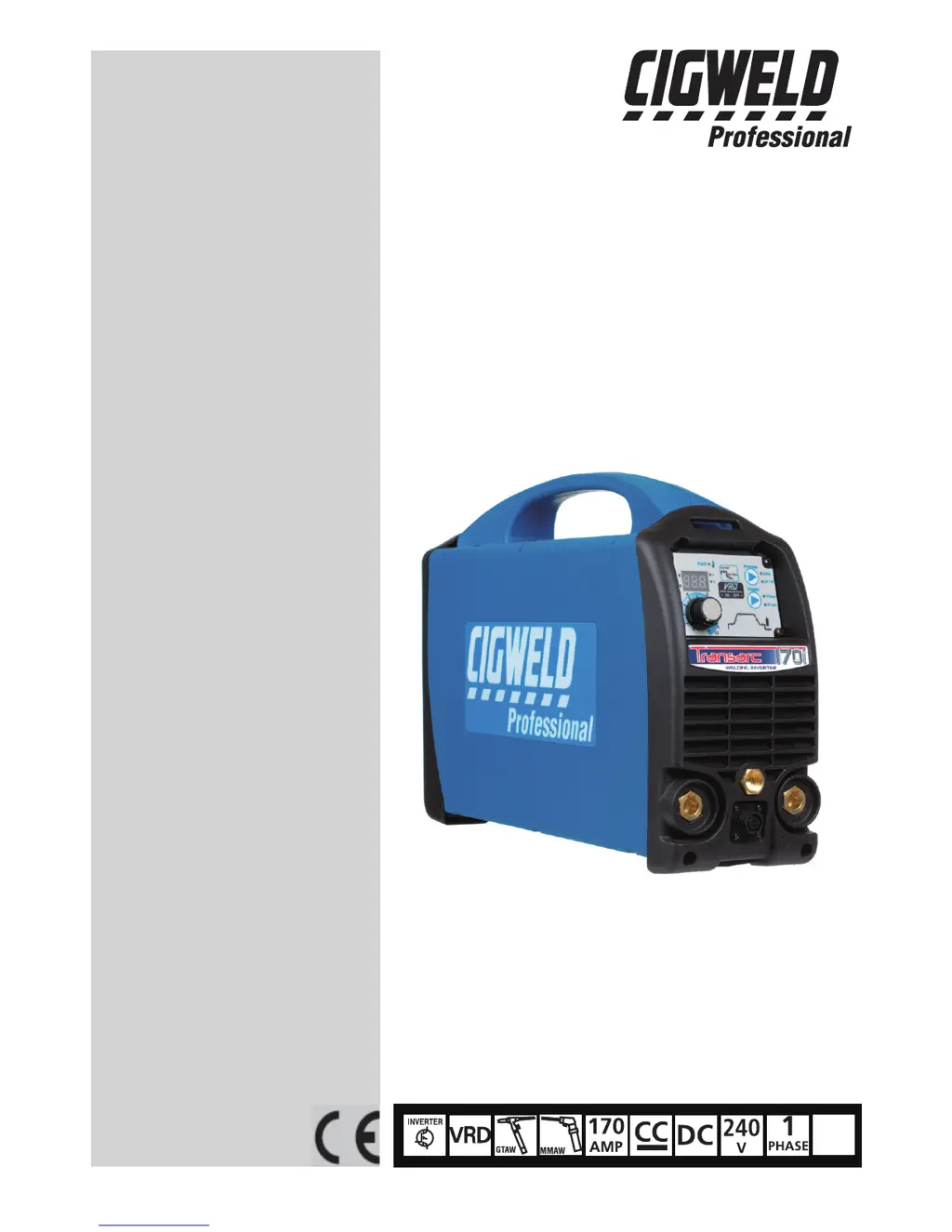
CIGWELD TRANSarc 170i
72 pages
Print Icon
To Next Page IconTo Next Page
Loading...
PFC
A-11711
170i
Operating Manual
Revision: AA Issue Date: January 10, 2013 Manual No.: 0-5281
Operating Features:
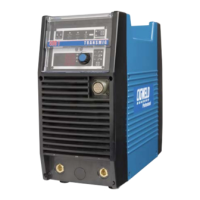
TRANSARC
WELDING INVERTER

Table of Contents

Other manuals for CIGWELD TRANSarc 170i

Questions and Answers

  • A
    audreytorresAug 1, 2025
    How to troubleshoot no weld output and no display on CIGWELD TRANSarc 170i Welding System?
    • A
      Amanda MorganAug 1, 2025
      If there's no weld output and all front panel displays are off on your CIGWELD Welding System, it could be due to several reasons: * The main power switch might be off; set it to 'ON'. * The line fuse could be blown, requiring replacement. * The main power switch might be faulty and need replacement. * The power inverter board or control board could be faulty and need replacement. * The display board might be faulty and need replacement.
  • I
    iwarrenAug 7, 2025
    What to do if there is no weld output and the over temperature light is on in my CIGWELD TRANSarc 170i?
    • D
      David RobinsonAug 7, 2025
      If your CIGWELD Welding System has no weld output and the yellow over temperature light is on, it indicates that the unit has overheated. Allow the unit to cool down with the fan running until the over temperature light turns off. Also, check the airflow inlet and outlet ducts for any blockages and remove them. If the fan isn't working, replace it, ensure the fan wiring header is securely plugged into the control board, and verify that the fan wiring is not damaged.
  • D
    Dawn AllenAug 13, 2025
    Why weld output doesn't work when pressing torch trigger on CIGWELD Welding System?
    • Q
      qmorrisAug 13, 2025
      If the weld output does not operate when the torch trigger switch is depressed on your CIGWELD Welding System, it could be due to several potential issues: * Check the continuity of internal wiring from the 8-pin control socket through to the boards. * If the over temperature light is on, allow the unit to cool down. * Repair any shorted trigger wires to the weld voltage inside the TIG torch. * Check and repair any faulty trigger wires or the torch switch. * The power inverter board, control board, or display board might be faulty and require replacement.
  • M
    Michelle LarsonAug 19, 2025
    What to do if CIGWELD Welding System has no weld output and flickering display?
    • A
      Amy HaynesAug 19, 2025
      If there is no weld output and the front panel displays are off or flickering on and off on your CIGWELD Welding System, it is possible that the internal protection circuit has been activated because the mains supply voltage is too high. Ensure that the mains supply voltage is less than 274VAC. Note that a generator with poor voltage regulation might cause a supply voltage exceeding 274VAC. Connect the power source to a supply voltage below 274VAC.
  • H
    harrisjoyceAug 25, 2025
    How to fix mode switch that doesn't change welding mode on CIGWELD TRANSarc 170i Welding System?
    • R
      ronald30Aug 26, 2025
      If the mode switch on your CIGWELD Welding System does not change the welding mode, the display board might be faulty and needs to be replaced.

Summary

ARC WELDING SAFETY INSTRUCTIONS AND WARNINGS

Arc Welding Hazards

Covers potential dangers from electric shock, fumes, noise, and flying sparks during welding.

Principal Safety Standards

Lists key industry standards and regulations relevant to welding safety and practices.

INTRODUCTION

How To Use This Manual

Guidance on understanding manual annotations (WARNING, CAUTION, NOTE) and manual structure.

Product Specifications

Detailed technical specifications including power, current range, duty cycle, and protection class.

INSTALLATION, OPERATION AND SETUP

Mains Supply Voltage Requirements

Specifies required mains voltage tolerance and connection guidelines for safe installation.

Power Source Controls and Features

Details the front and rear panel controls, indicators, meters, and operational modes.

Setup for TIG (GTAW) Welding

Step-by-step instructions for connecting and configuring the welding machine for TIG welding.

Setup for Manual Arc (MMAW) Welding

Step-by-step instructions for connecting and configuring the welding machine for MMAW welding.

BASIC WELDING GUIDE

Stick (MMAW) Basic Welding Technique

Covers electrode selection, techniques, positions, and joint preparations for MMAW welding.

TIG (GTAW) Basic Welding Technique

Explains the TIG process, electrode selection, and filler rod selection for quality welds.

POWER SOURCE PROBLEMS AND ROUTINE SERVICE REQUIREMENTS

Power Source Problems

Troubleshooting guide for common faults, error codes, and issues with the welding power source.

Routine Service and Calibration Requirements

Details periodic maintenance, testing schedules, and calibration requirements for the unit's safety and performance.

KEY SPARE PARTS

Power Source Spare Parts

List of replacement parts for the main welding power source unit with part numbers.

TIG Torch Spare Parts

Lists spare parts for the TIG torch (Model W4014604) including handle, flex head, and kits.

Stick Electrode Holder Spare Parts

Lists spare parts for the stick electrode holder with trigger switch.

APPENDIX: TRANSARC 170 i CIRCUIT DIAGRAM

Transarc 170 i Circuit Diagram

Schematic diagram illustrating the internal electrical circuitry of the Transarc 170i welding inverter.

CIGWELD - LIMITED WARRANTY TERMS

Limited Warranty Terms

Outlines the terms, conditions, and limitations of the manufacturer's warranty.

Warranty Schedule

Details the specific warranty periods for power source components and accessories.

GLOBAL CUSTOMER SERVICE CONTACT INFORMATION

Customer Service Contact Details

Provides contact information for CIGWELD and its service providers worldwide for support and claims.

CIGWELD TRANSarc 170i Specifications

General IconGeneral
BrandCIGWELD
ModelTRANSarc 170i
CategoryWelding System
LanguageEnglish

Related product manuals