Check Software Version
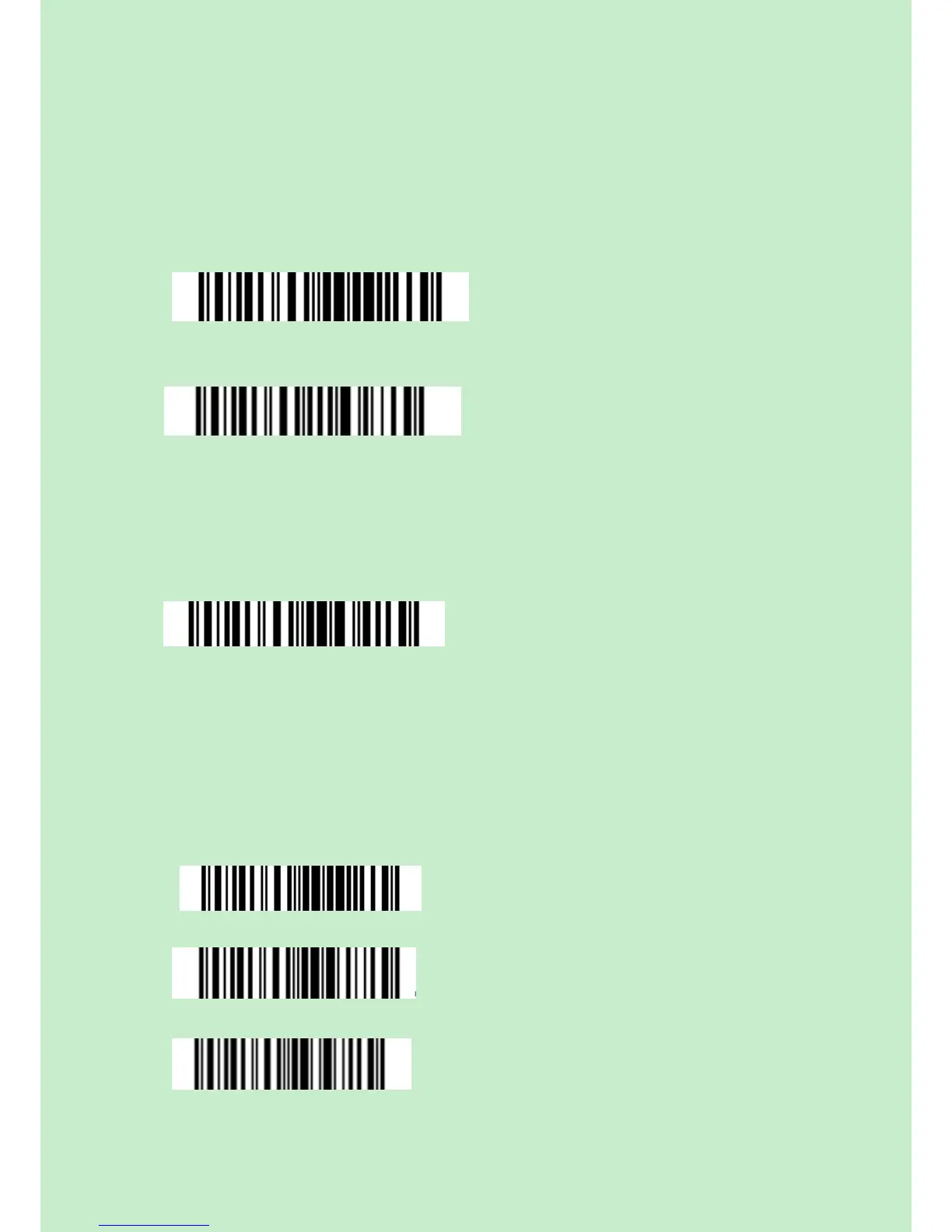
If you want to know the software version of CT20, should read the ‘Enter Setup’ and
‘Output Software Version’ barcode:
Checking the software version is done at the enter setup mode, so after output the
software version, need to read ‘Exit without Save’ barcode.
Save Custom Settings
1. You may change factory defaults, and customize some functions suitable for your own
applications when you use CT20, you must read the ‘Enter Setup – Function barcode you
want to customize – Save Custom Settings – Exit with Save’ barcodes.
Save Custom Settings
Restore Customs Settings



 To Next Page