3、Have the scanner read the associated barcode to activate the BT connection interface.
4、Have the scanner read the barcodes for related settings.
5、Have the scanner read the barcode to exit the setting mode.
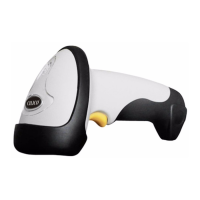
6、The CT20 Scanner will stay active for 1 minute waiting for a connection request from
the host(SPP) or trying to connect to the host(HID).
Contents
2.1.Select Output Interface....................................................................................................... 27
2.1.1 BT SPP Mode...........................................................................................................27
2.1.2 BT HID Mode.......................................................................................................... 27
2.2 Setting up a BT connection.................................................................................................28
2.3 Connect to PC via BT......................................................................................................... 29
2.4 Connect to PDA via BT...................................................................................................... 32



 To Next Page