6 - USE AND OPERATION
Impostazioni iniziali (ME1000S)
ME1000S - User Manual
49 - 128
A
B
1
2
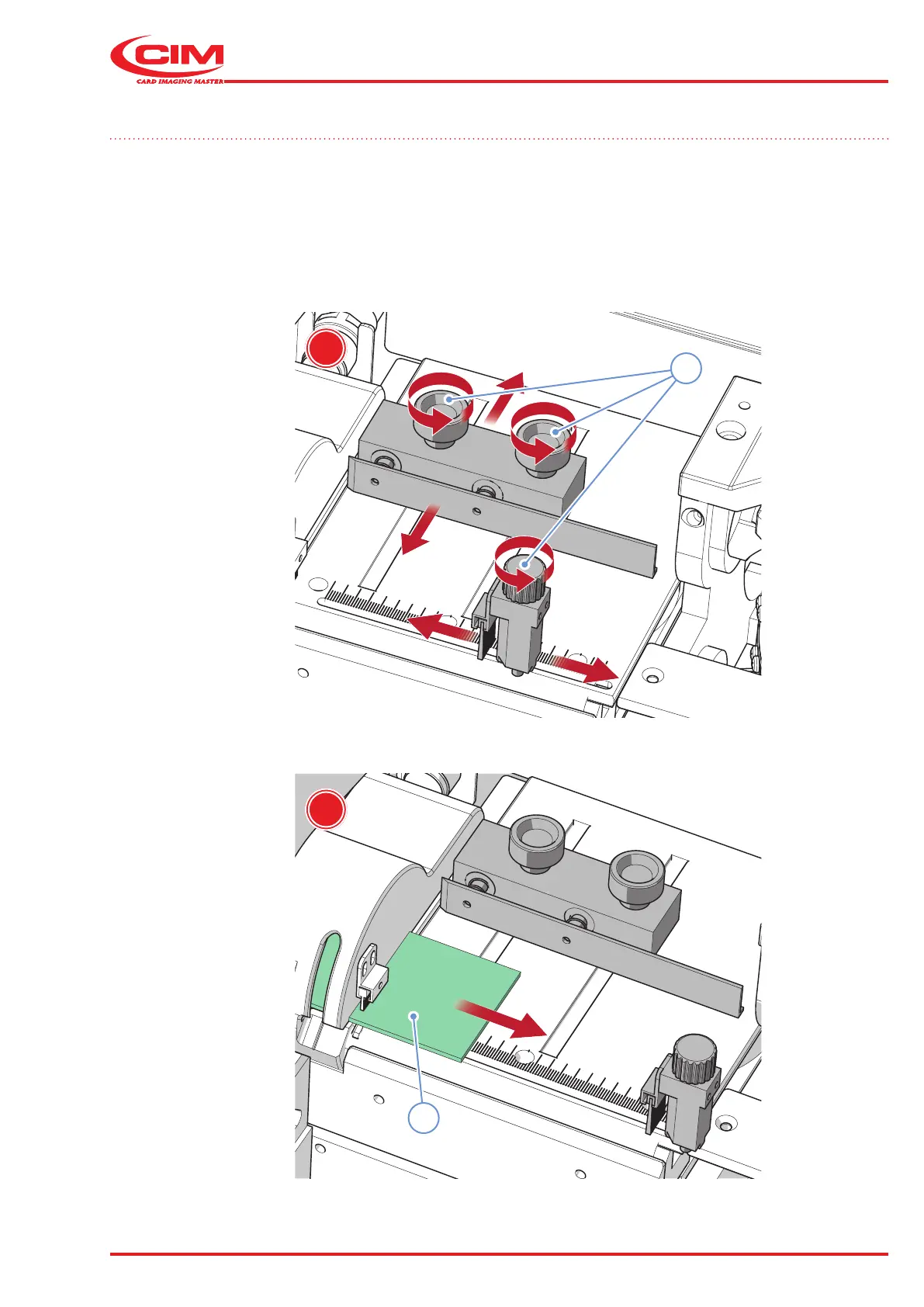
6.3 Loading hopper adjustment
The metal tag loading hopper is located on the left side of the embosser and can be adjusted to the size of the tags.
To adjust the loading hopper, proceed as follows:
1) Loosen (A) the knobs (1) on the left side of the loader.
2) Insert (B) the tag(2).



 To Next Page