6 - USE AND OPERATION
Schermate display (ME)
ME1000S - User Manual
72 - 128
Separator char not found in the CSV file
OK
X
Qt
LCD EDITLCD EDIT
X?
Qt Open
Look in:
/home/cim/common
File name:
Name Size Type
Files of type:
Sample1.csv 26...es cs...le 1 De...3:15
Sample2.csv 26...es cs...le 1 De...3:15
test3.csv 26...es cs...le 1 De...5:46
SampleXL.csv 26...es cs...le 1 De...3:15
csv files(*.csv)
Open
Cancel
Computer
/
6.8.6 AUTOMATIC JOB (FTP)
AUTO
F1
F6
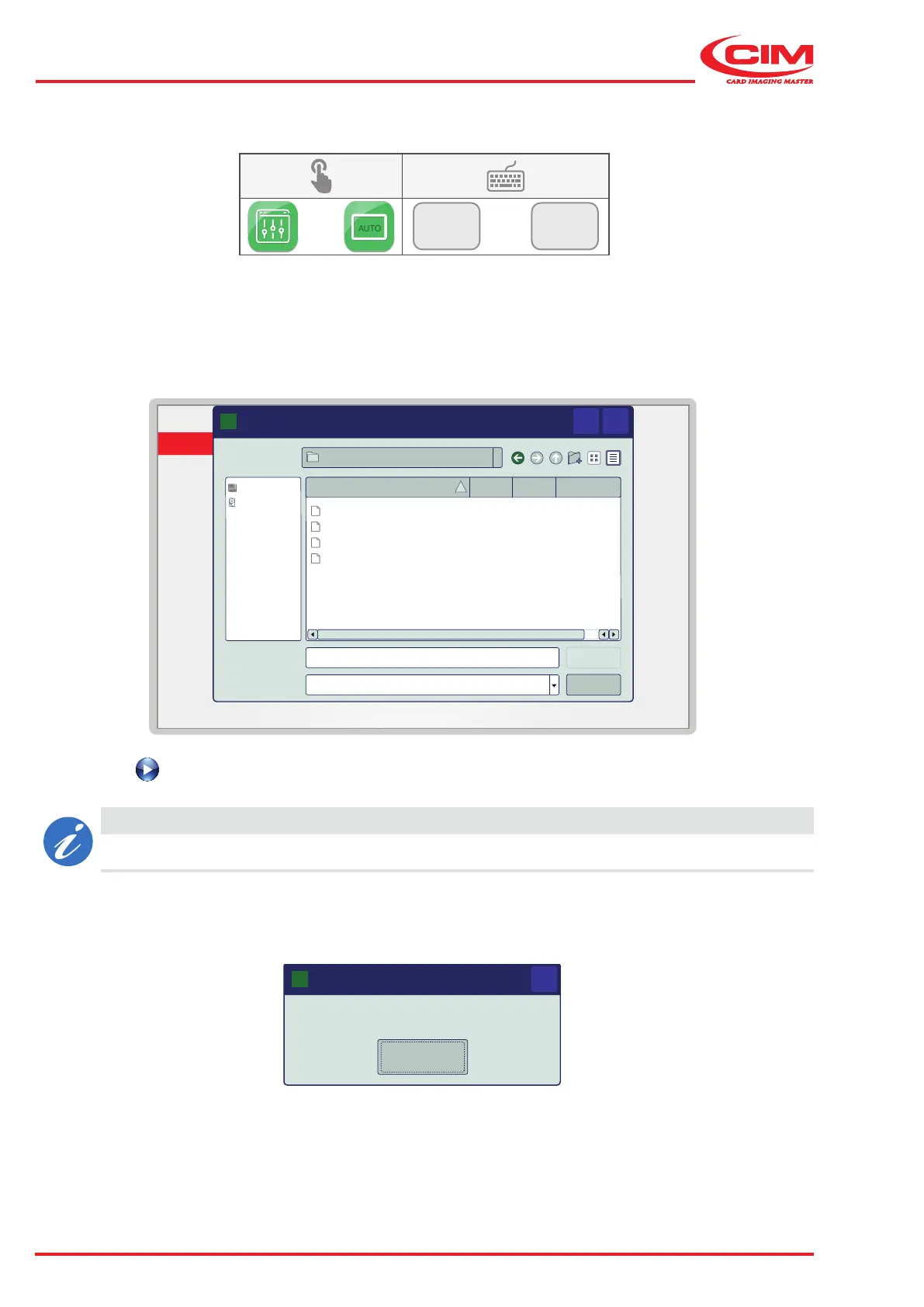
This function allows you to start producing tags by taking the data to be printed from a le (.csv) located in an FTP area:
1) View the contents of the FTP area in the dialogue box and select the .csv le containing the data to be used.
2) Press the button to start producing tags.
CAUTION
If the format of the le is incorrect, loading fails and an error message appears.



 To Next Page