6 - USE AND OPERATION
Schermate display (ME)
ME1000S - User Manual
56 - 128
TAG PREVIEW FORMATS AUTOMATIC
JOB (USB)
SAVE JOB
REPORT TO
USB
AUTOMATIC
JOB (FTP)
AUTO
HOME
BACK
AUTO
LCD EDIT
1
2
3 4
5 6
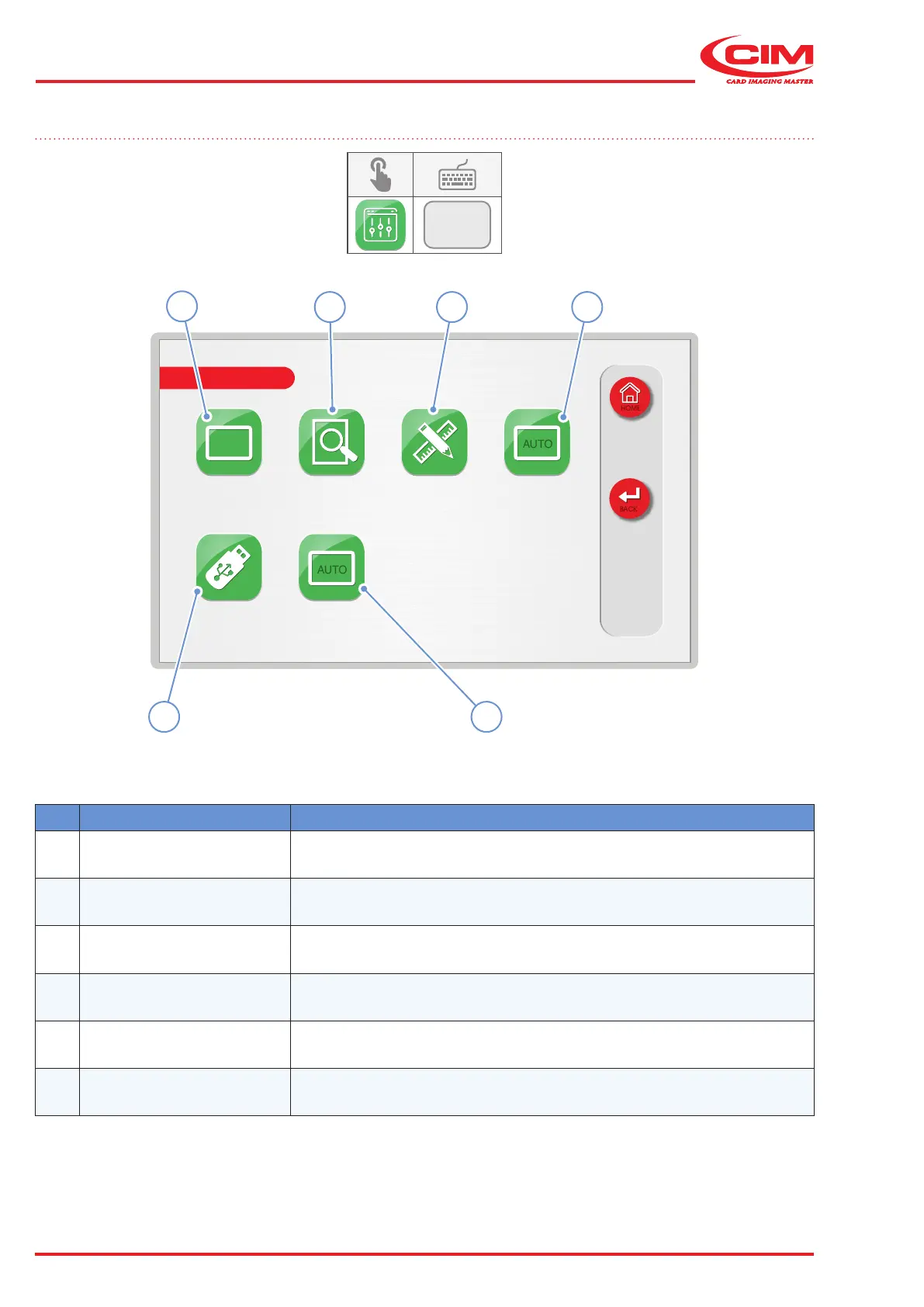
Ref. Function Description
1 [F1] TAG
Allows modications to be made to the data, parameters, and production
of the tag in the current format
2 [F2] PREVIEW Displays a preview of the tag with the set data and parameters
3 [F3] FORMATS Format management (creation, modication and deletion)
4 [F4]
AUTOMATIC JOB
(USB)
Allows ".csv" les containing the parameters and production data for the
tag to be loaded from a USB memory stick
5 [F5]
SAVE JOB REPORT
TO USB
Saves the log le to a USB memory stick
6
[F6]
AUTOMATIC JOB
(FTP)
Allows ".csv" les containing the parameters and production data for the
tag to be loaded from an FTP area
6.8 LCD EDIT
F1



 To Next Page