Cisco 7912 Telephone User Guide Set Up Outlook for TAPI 131
620-05600350
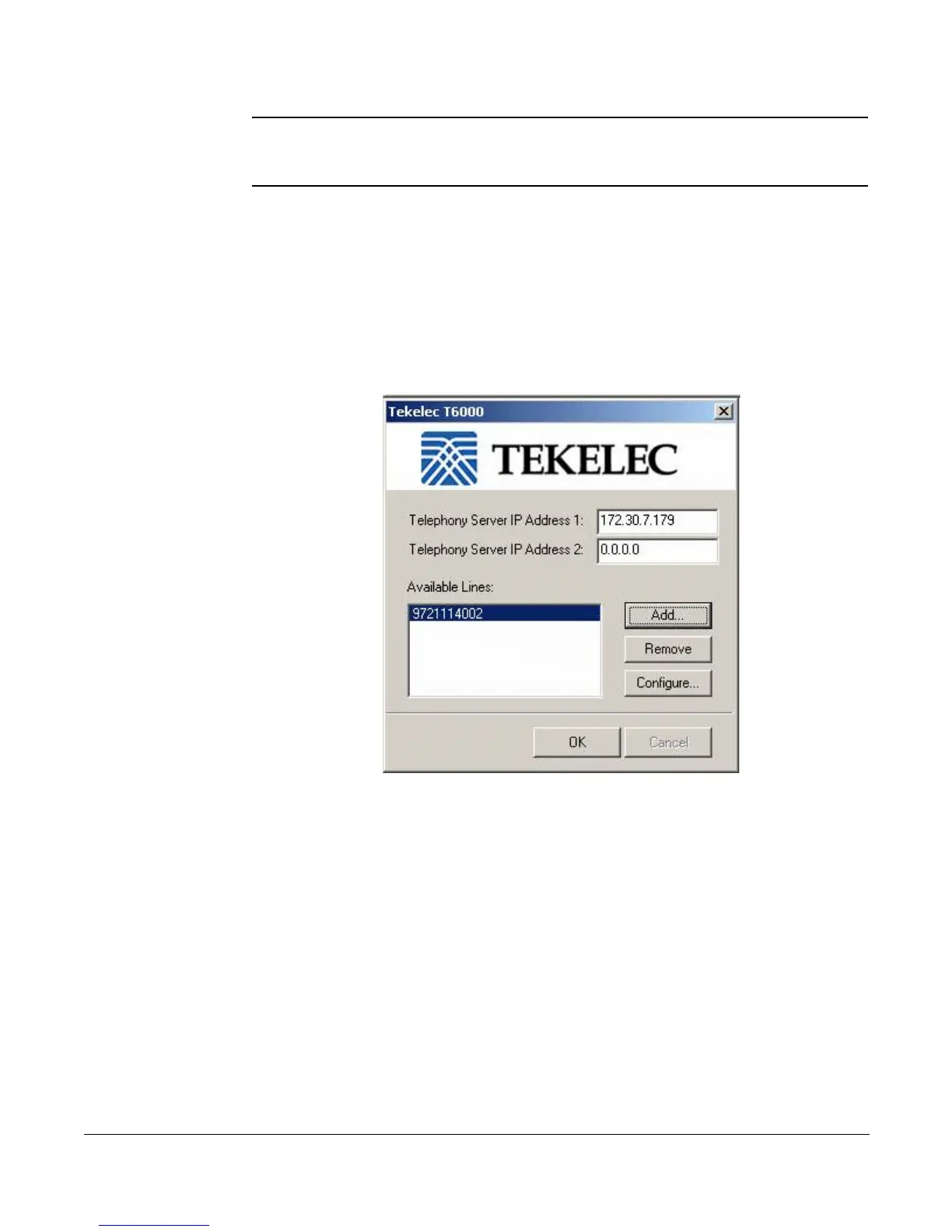
NOTE: A dialog box may appear while the Installation dialog is still running. Do NOT click
Cancel or the close icon when the dialog box appears. You will be returning to this
dialog box after completing two steps.
12. When the dialog box appears while the Installing dialog box continues to run,
do the following:
a. Enter the IP addresses provided by your system administrator in the
Server IP Address 1
and
2
fields.
b. Click Add to add your telephone number (the one that will be used with
the TAPI-enabled program [such as Outlook]).
13. Enter your telephone number and password and click OK.




 To Next Page