EasyManua.ls Logo

Cisco 7921G - User Manual

Cisco 7921G
118 pages
Print Icon
To Next Page IconTo Next Page
Loading...
Americas Headquarters
Cisco Systems, Inc.
170 West Tasman Drive
San Jose, CA 95134-1706
USA
http://www.cisco.com
Tel: 408 526-4000
800 553-NETS (6387)
Fax: 408 527-0883
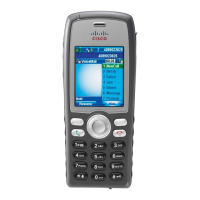
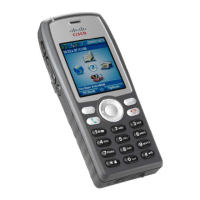
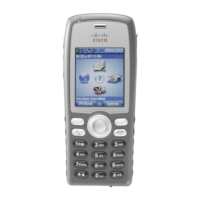
Cisco Unified Wireless IP Phone
7921G Guide for Cisco Unified
Communications Manager 4.3, 5.1,
6.0 and Later
INCLUDING LICENSE AND WARRANTY

Table of Contents

Other manuals for Cisco 7921G

Questions and Answers

  • J
    jason63Aug 7, 2025
    Why is the main screen not active on my Cisco IP Phone?
    • K
      Katherine HickmanAug 7, 2025
      Several factors can cause the main phone screen to be inactive. The network might be busy due to insufficient bandwidth, or your phone could be out of range of its access point. The phone might be searching for a wireless network access point or failing authentication. Finally, the phone could be waiting for DHCP to assign an IP address.
  • J
    Jasmin NelsonAug 11, 2025
    How to display a missing softkey on a Cisco 7921G?
    • J
      Jason PatelAug 11, 2025
      If a softkey is missing, first press the Options button and scroll to see if it's hidden. The softkey might also appear after you change the line state, such as placing or connecting a call. It is also possible that your phone is not configured to support the feature associated with the softkey.
  • S
    Sherry GallagherAug 15, 2025
    What to do if Join fails on Cisco IP Phone?
    • S
      Steven MortonAug 15, 2025
      The Join function requires multiple selected calls. Ensure you've selected at least one call in addition to the active call and that all selected calls are on the same line. If necessary, transfer calls to one line before joining them.
  • D
    Dana DavisAug 20, 2025
    Why does Barge fail and result in a fast busy tone on my Cisco 7921G IP Phone?
    • M
      Miss Tina RobertsonAug 20, 2025
      Barge might fail if you are trying to barge an encrypted call and your phone is not configured for encryption. Also, you cannot barge a call on another Cisco Unified Wireless IP Phone.
  • J
    James SmithAug 25, 2025
    Why is the Settings menu unresponsive on my Cisco IP Phone?
    • C
      Carmen AnthonyAug 25, 2025
      Your system administrator might have disabled the Settings menu on your phone.
  • K
    Kenneth ParkerAug 28, 2025
    What happens if I get disconnected from a call joined with Barge on Cisco 7921G IP Phone?
    • R
      Rachael HarperAug 28, 2025
      You will be disconnected from a call that you have joined using Barge if the call is put on hold, transferred, or turned into a conference call.
  • M
    Michele MasseySep 1, 2025
    Why does Cisco CallBack fail?
    • E
      Emily HughesSep 2, 2025
      CallBack might fail if the other party has call forwarding enabled.

Cisco 7921G Specifications

General IconGeneral
BrandCisco
Model7921G
CategoryIP Phone
LanguageEnglish

Related product manuals