1-13
Cisco Video Surveillance 8020/8030 IP Camera Reference Guide
Chapter 1 Getting Started
Hardware Installation
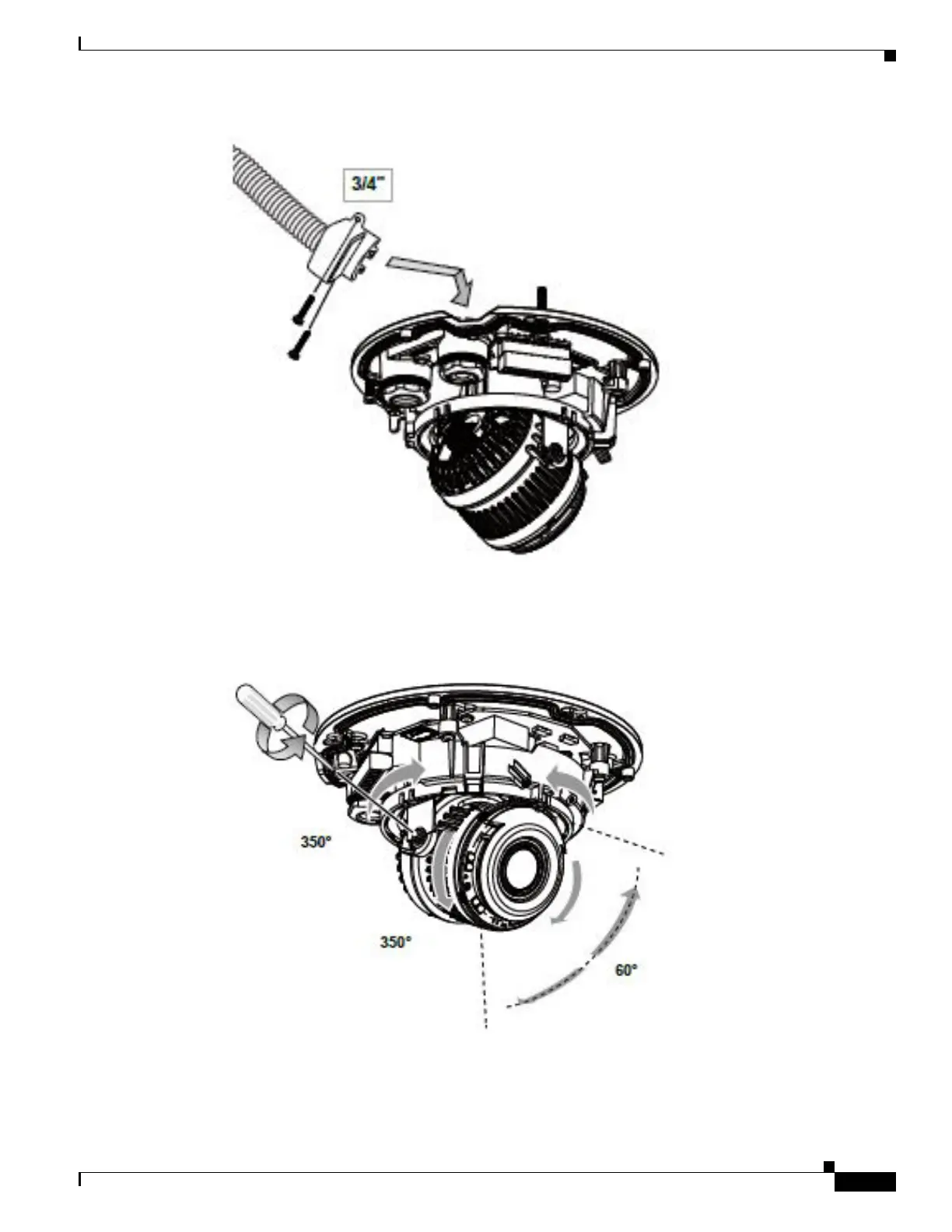
Avoid using a conduit with a hex nut larger than 35mm.
Step 11 With a live view displayed on your laptop, adjust the zoom and focus to obtain an optimal image. Check
the live view to ensure the image is in focus.
Step 12 Replace the desiccant bag on the camera.



 To Next Page